

 Deutsch
 Español
 Français
 Hrvatski
 Italiano
 Polski
 Português (BR)
Language & Localisation
Overview
Select your preferred language, time zone, and date format.
Set Preferred Webapp Language
To select your preferred language for the webapp:
- Click Settings
- Click Profile
- Click Profile & personal settings
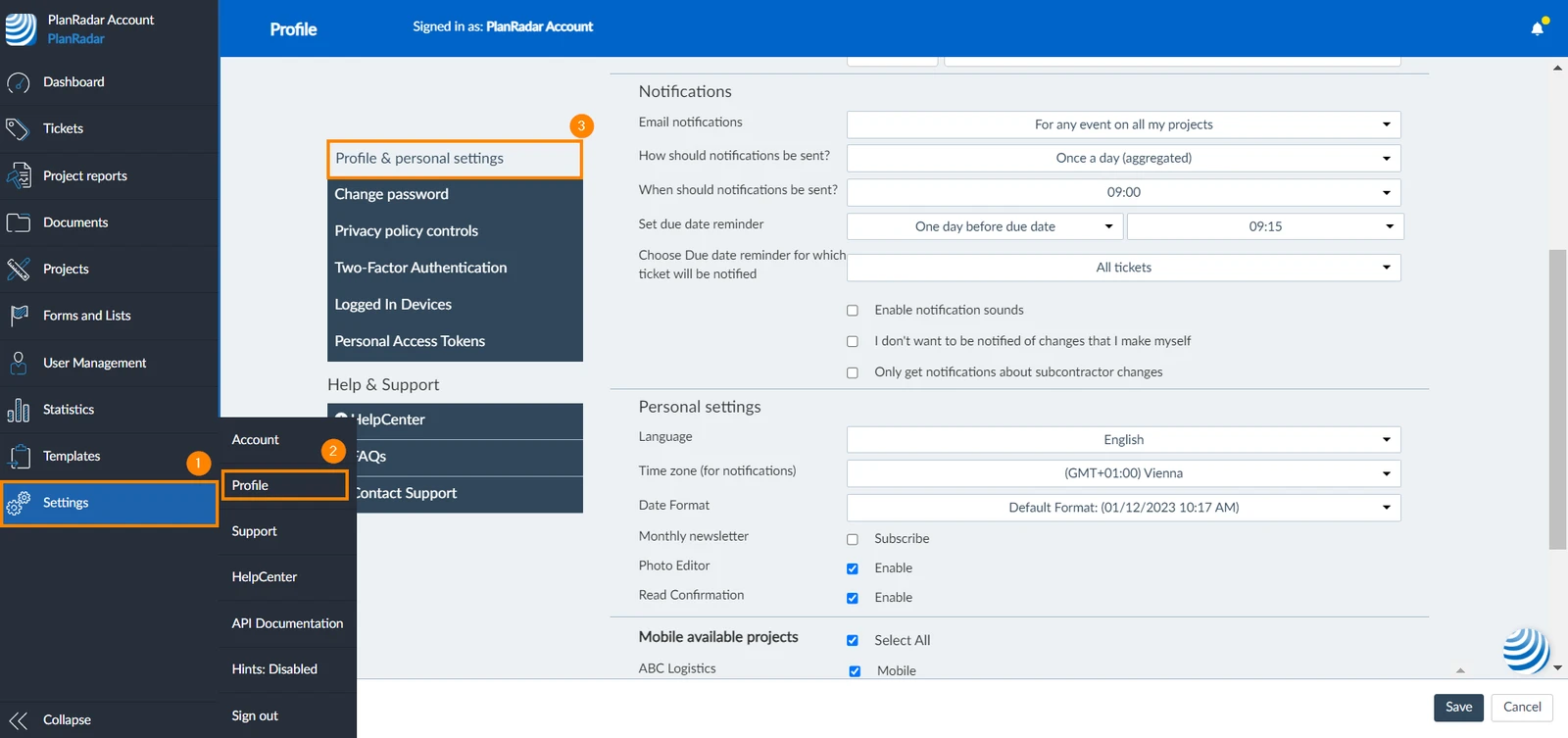
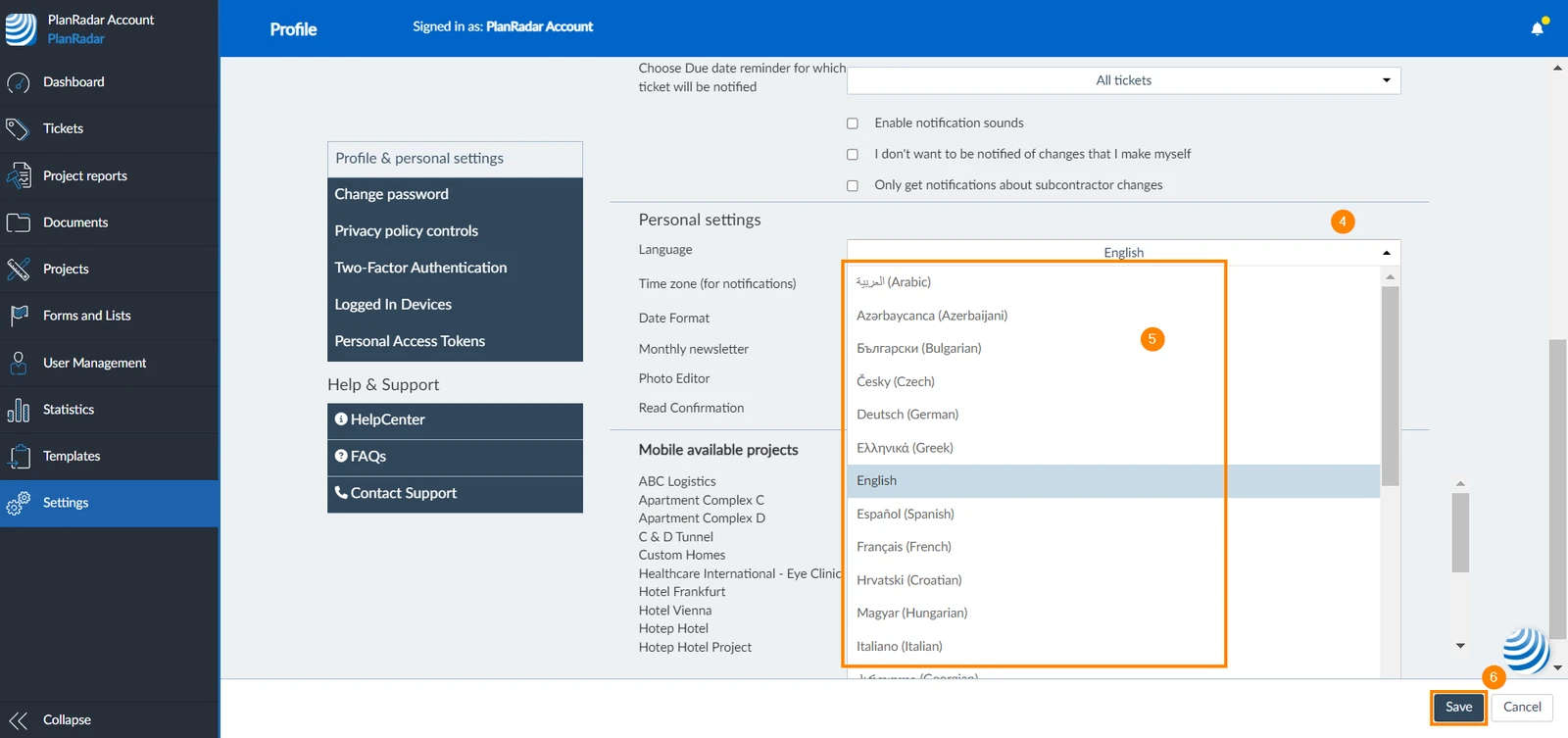
- Open the Language drop-down menu
- Select your preferred language
- Click Save
Set Time Zone for the Webapp and E-Mail Notifications
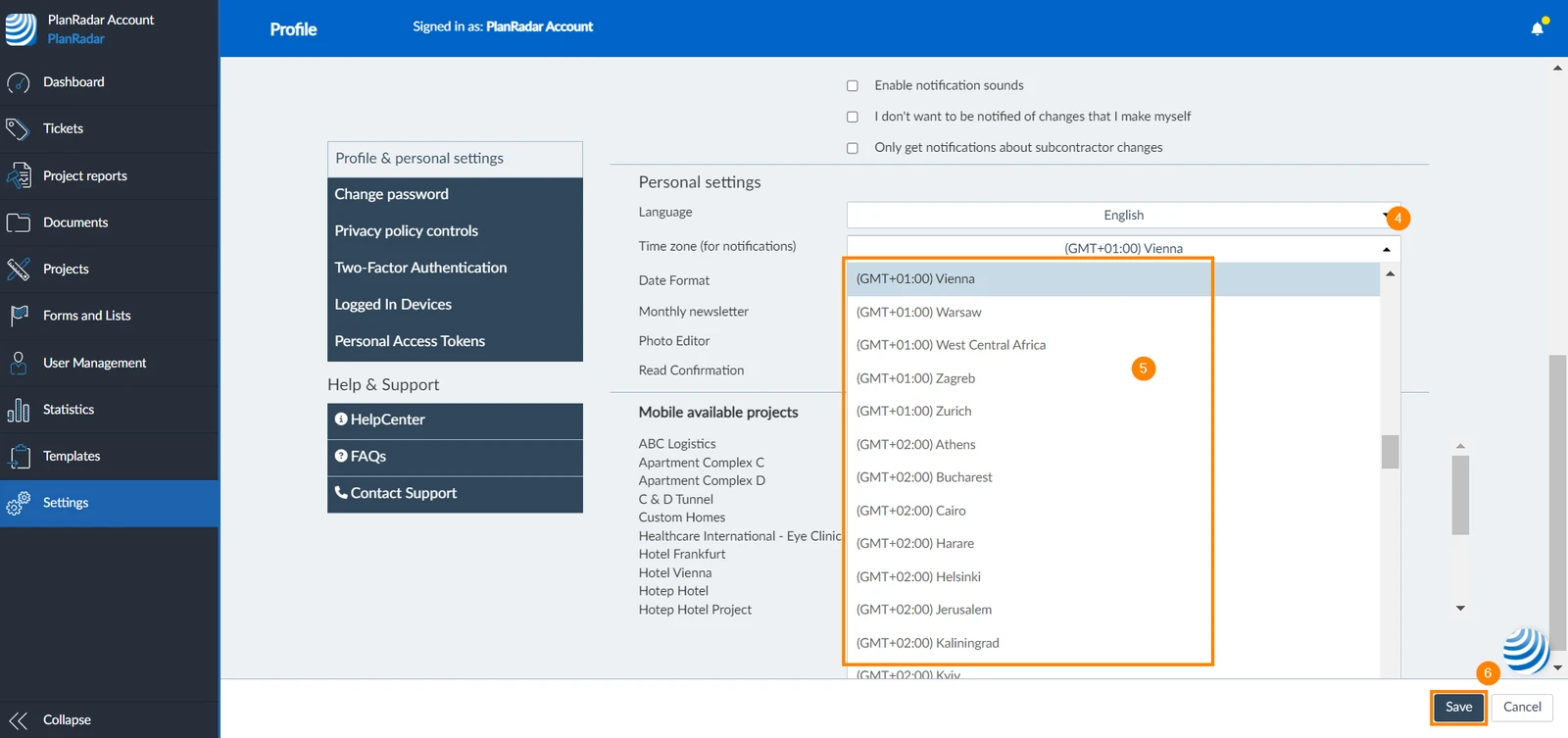
The selected time zone in the Webapp is applied to any dates but also e-mail notifications if you configure a specific time for daily notification e-mails. To configure your time zone:
- Click Settings
- Click Profile
- Click Profile & personal settings
- Open the time zone drop-down
- Select your time zone
- Click Save
Set Date Format for the Webapp
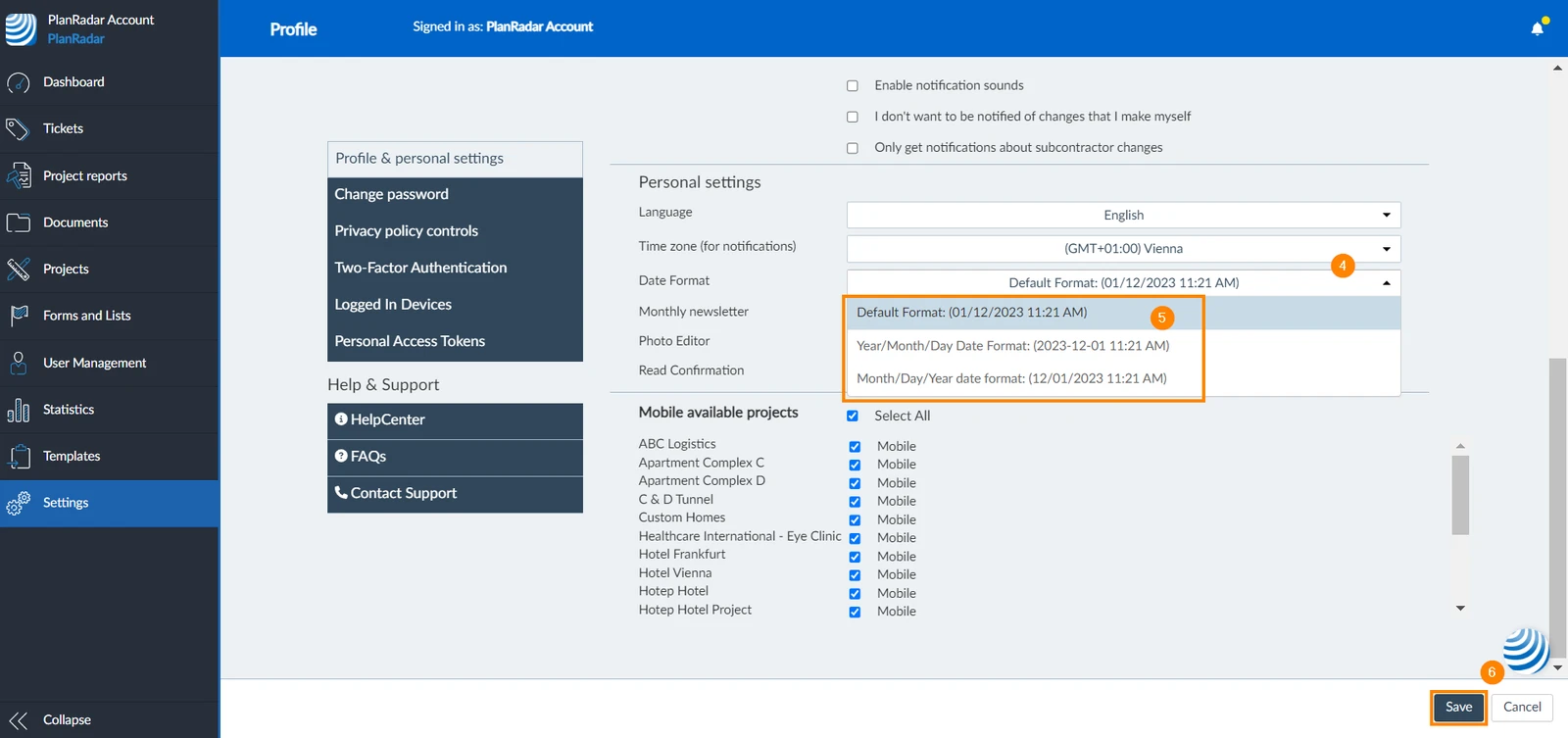
To set the date format for the Webapp:
- Click Settings
- Click Profile
- Click Profile & personal settings
- Open the Date Format drop-down
- Select your preferred date format
- Click Save
Updated December 18, 2024