

 Deutsch
 Español
 Français
 Hrvatski
 Italiano
 Polski
 Português (BR)
Editing and Deleting Charts
Overview
Edit or delete charts from your statistics boards.
Access & Permissions
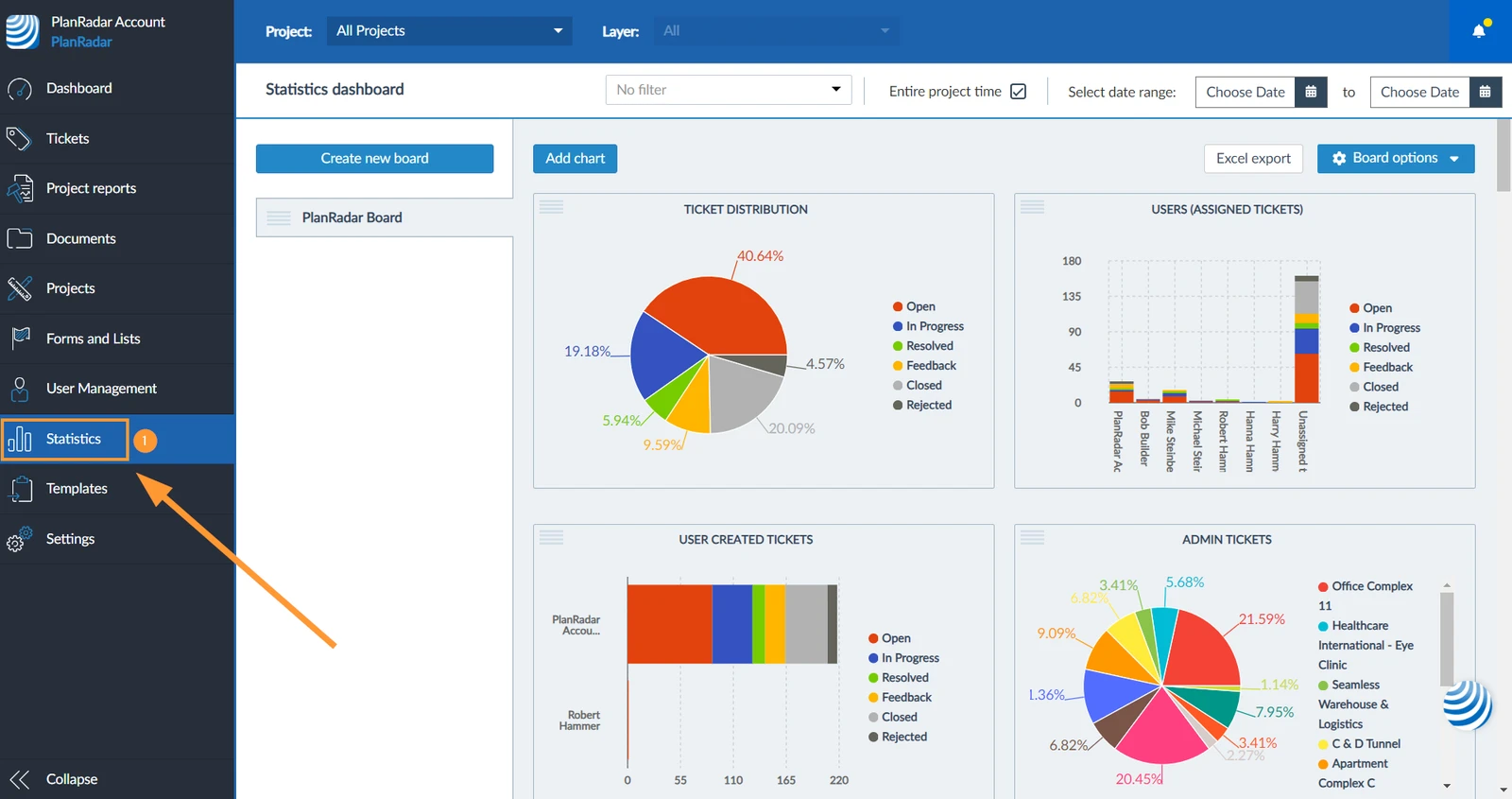
How to access Statistics
- Click Statistics
Edit a Chart
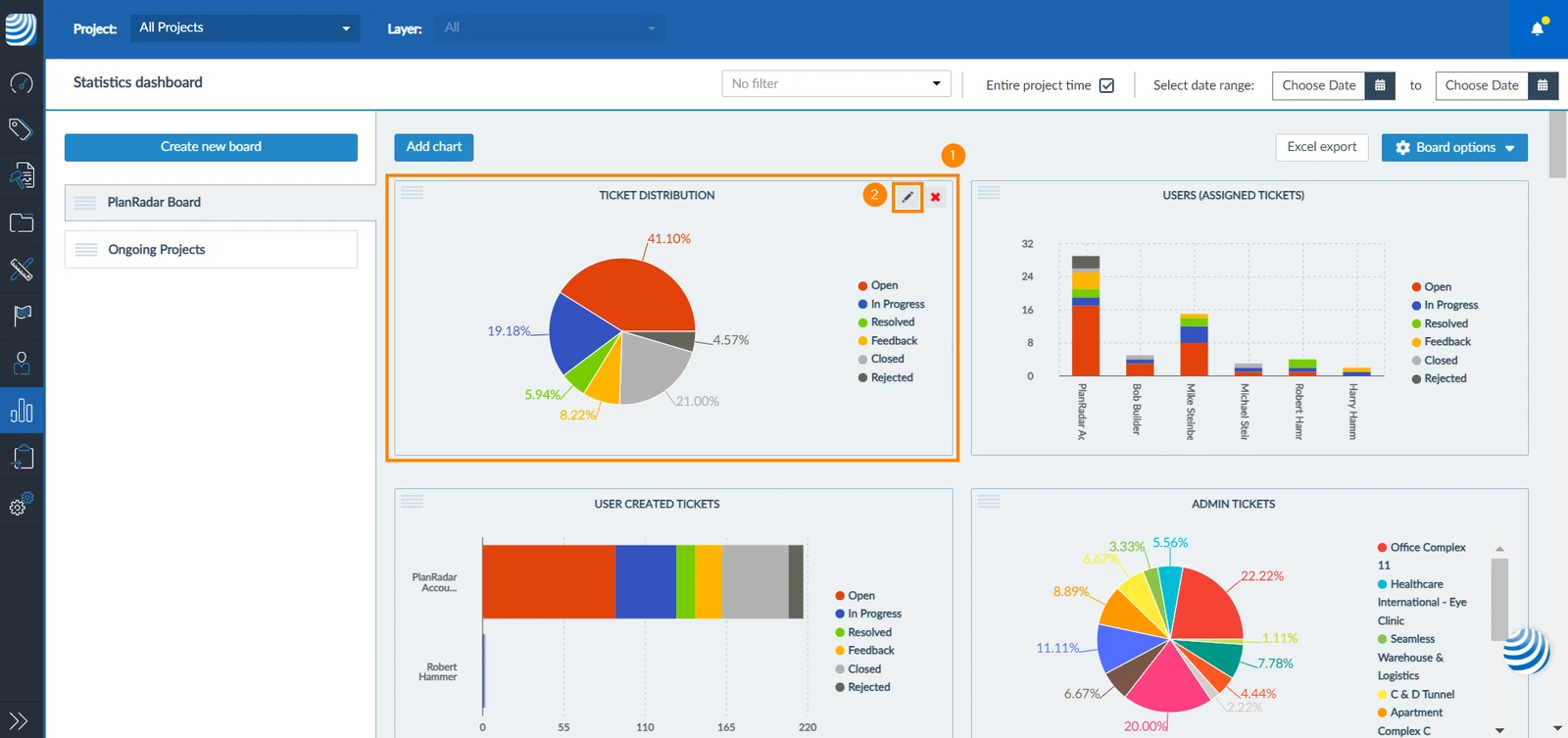
To edit a chart after it has been created:
- Hover over the chart with your cursor
- Click the edit icon
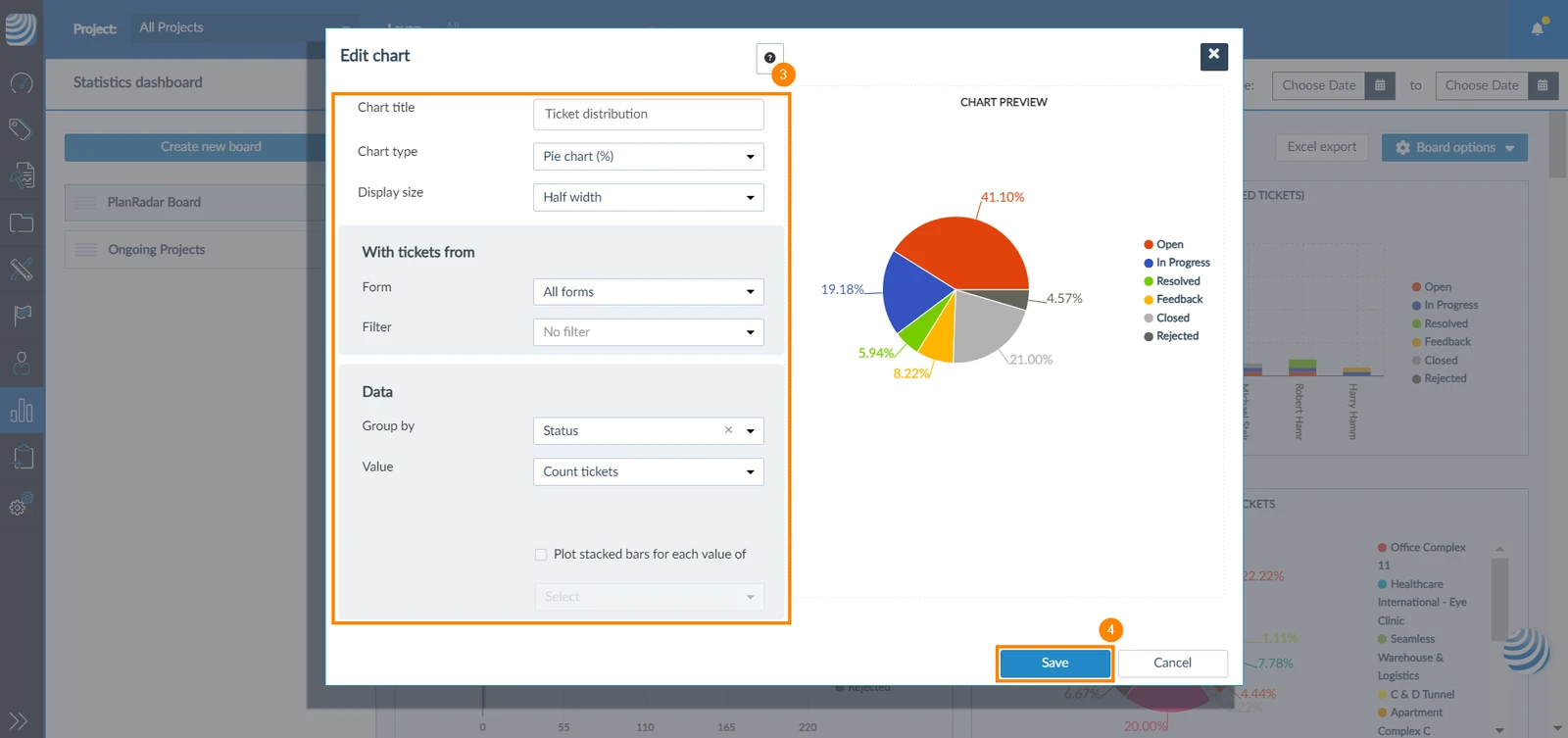
- Apply your changes
- Click Save
Delete a Chart
To delete a chart:
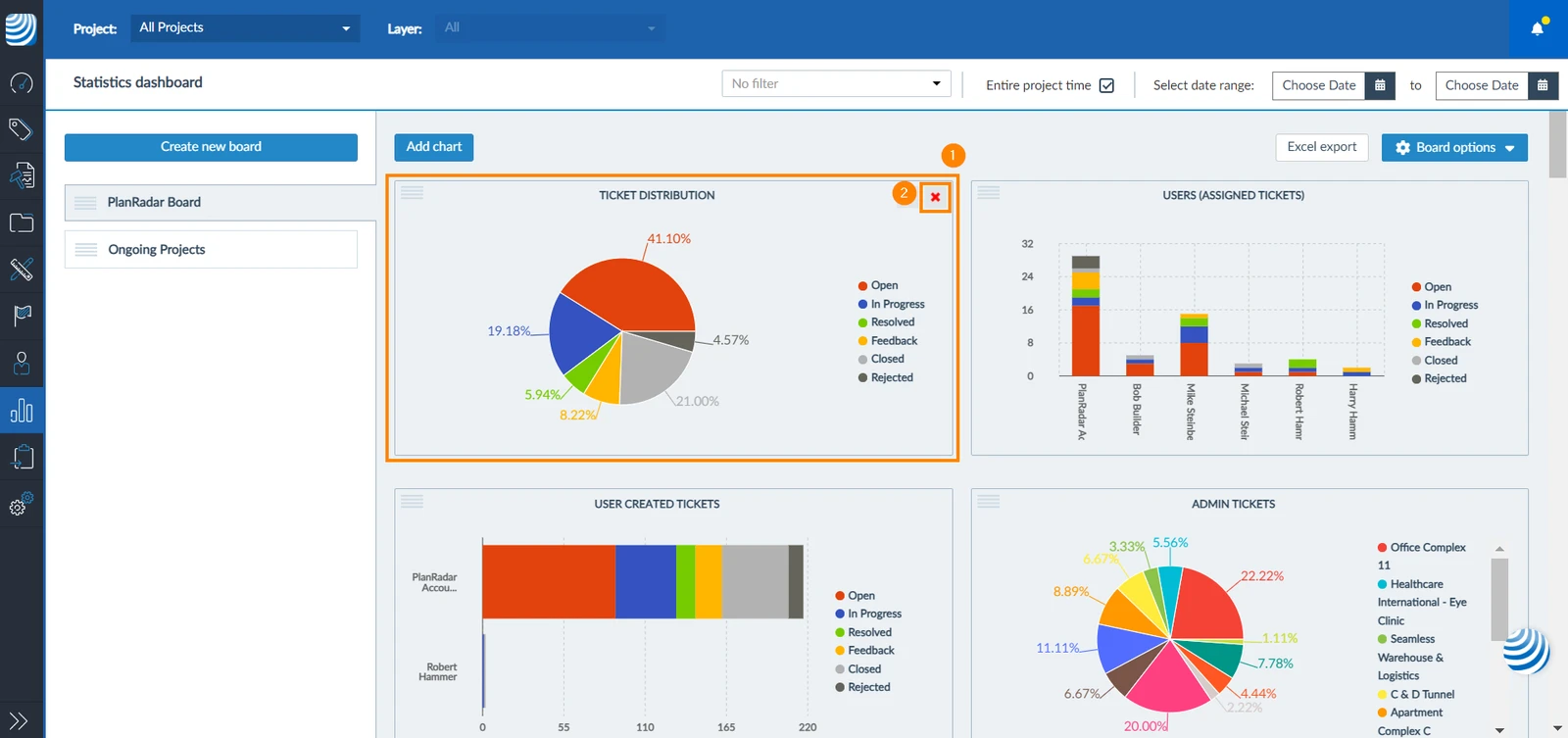
- Hover over the chart with your cursor
- Click the X icon
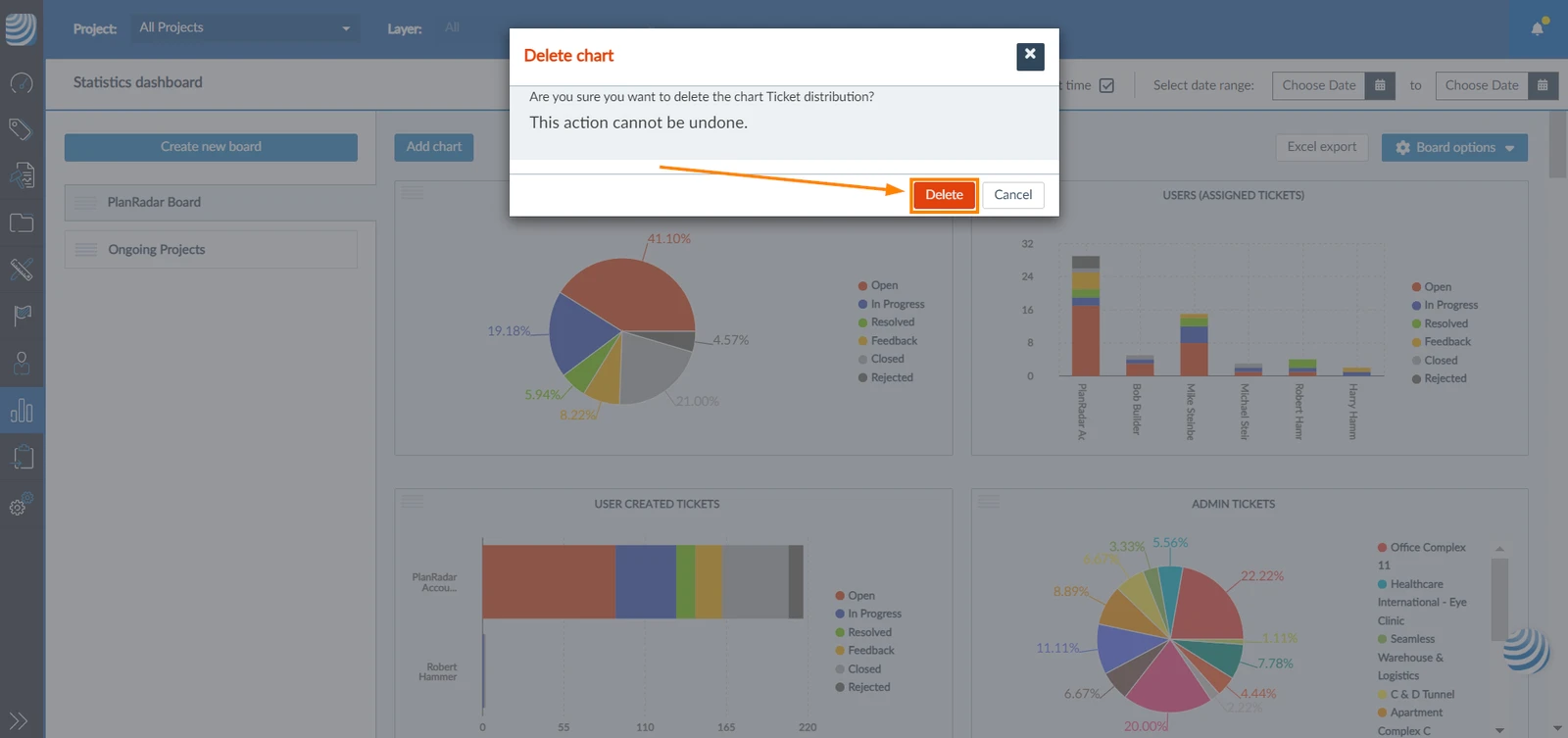
- Click Delete to confirm
Related Articles
Updated September 4, 2026