

 Deutsch
 Español
 Français
 Hrvatski
 Italiano
 Polski
 Português (BR)
Mobile Availability of Projects
Overview
For each project a user is assigned to, it is possible to configure whether or not the user can access the project via the mobile app. Projects that are available on mobile are synchronised to the device, so you can work with their data offline. Projects that are not available are not synchronised and do not appear in the mobile app.
Mobile availability is a single setting per user and project. You can change it in the webapp or in the mobile app — wherever you change it, the setting is synced, so all places always show the same state.
Access & Permissions
Select Projects to Sync for Yourself
To choose which projects get synced on your mobile devices:
- Tap Available projects on the select project screen. Also see: Mobile App Navigation.
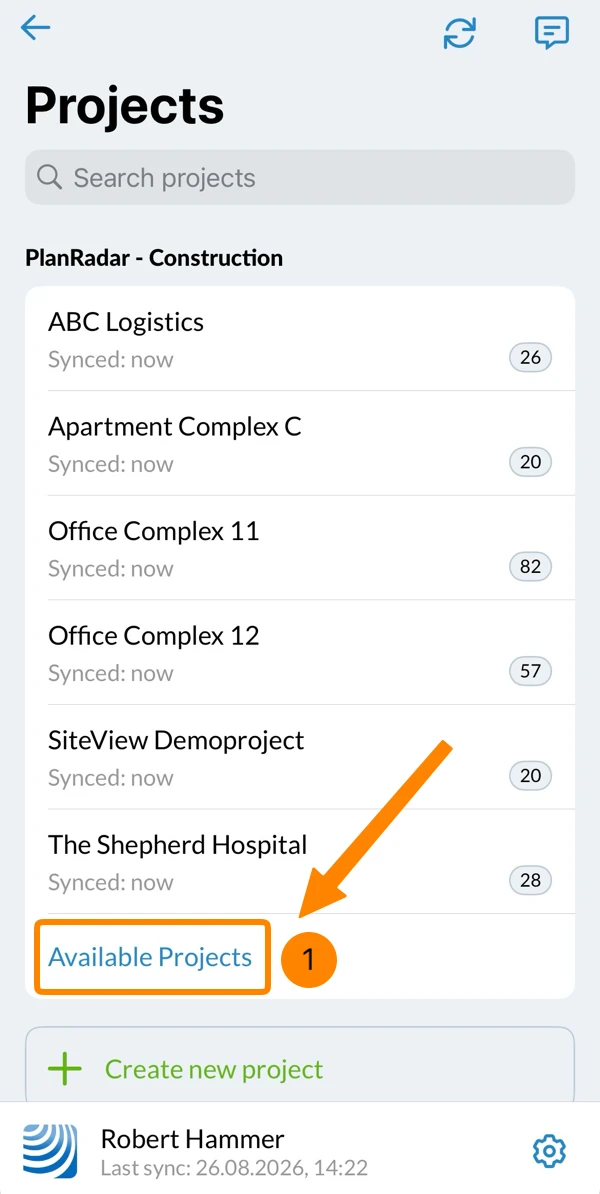
- Optional: To search for a project by name, swipe down and enter the project name.
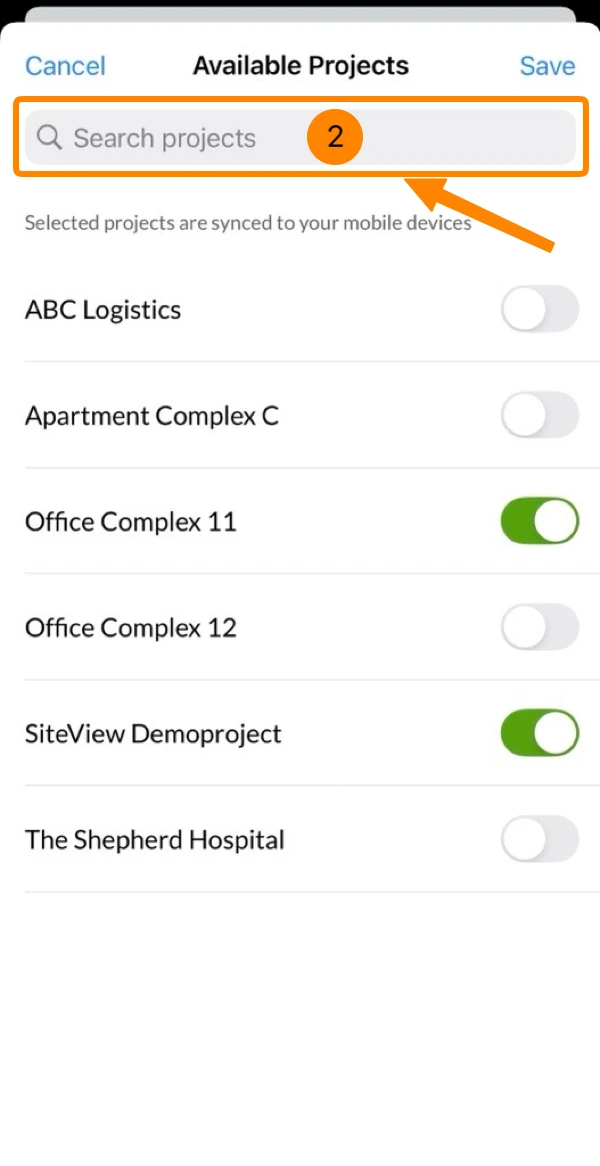
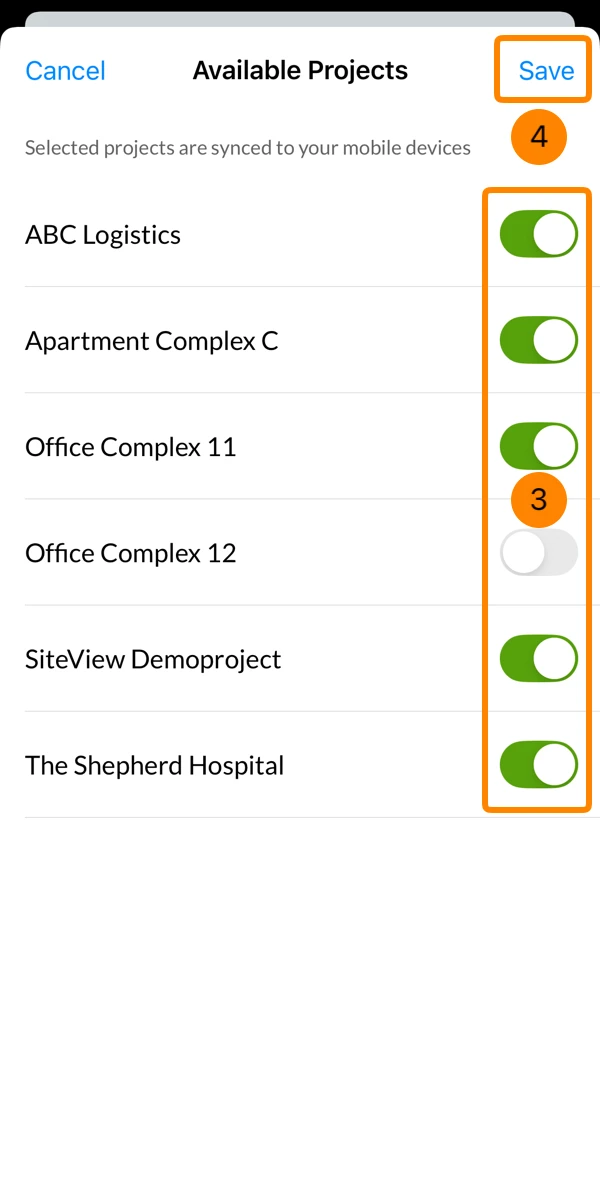
- Switch on the projects you want on your device, and switch off the ones you no longer need
- Tap Save
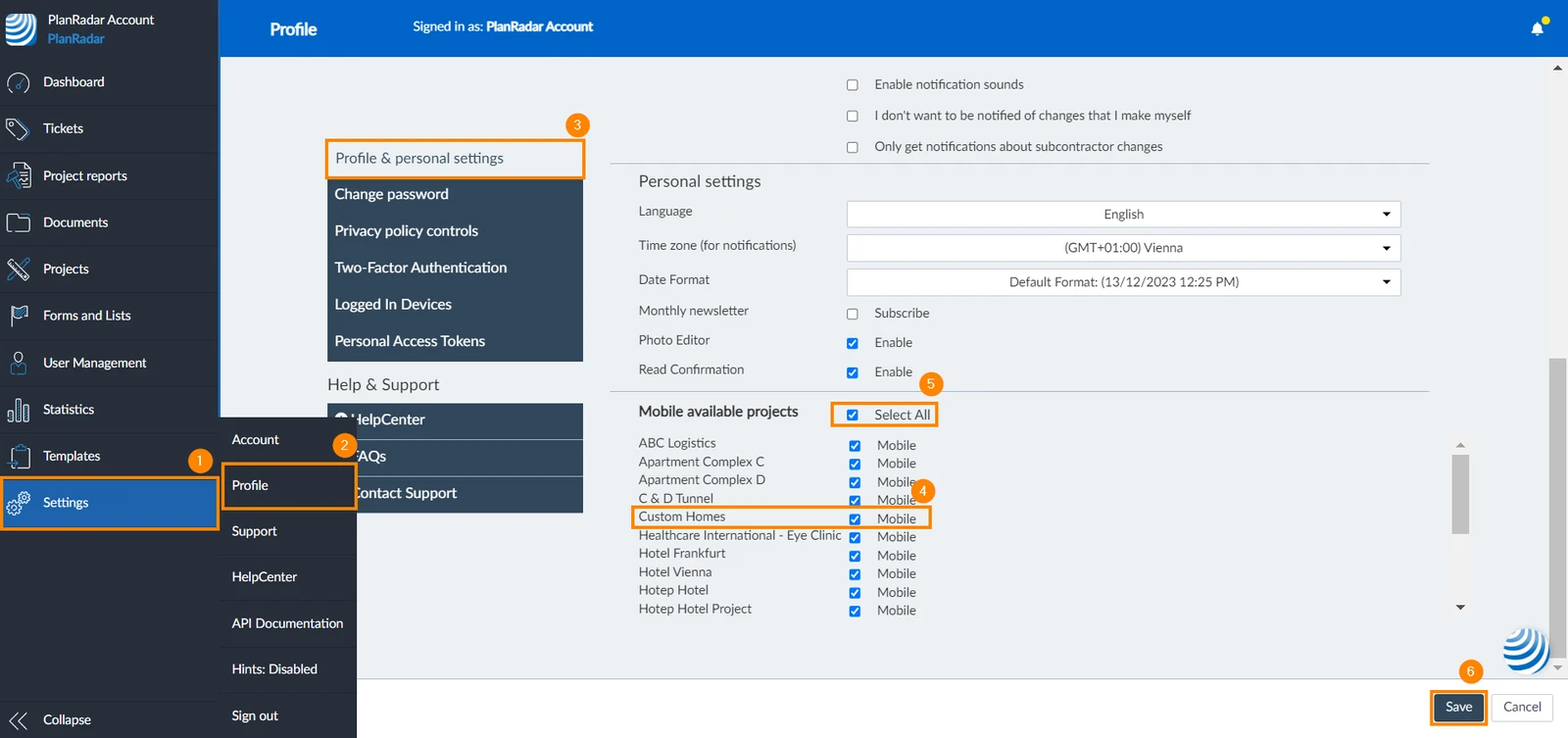
- Click Settings
- Click Profile
- Click Profile & personal settings
- Select the checkbox/es of the project/s you want to make available on the mobile app
- Or select the Select All checkbox to make all projects available
- Click Save
Select Projects to Sync for Other Users
If you are an in-house user with the user permission 'Users', you can configure mobile availability of projects for other users in the webapp:
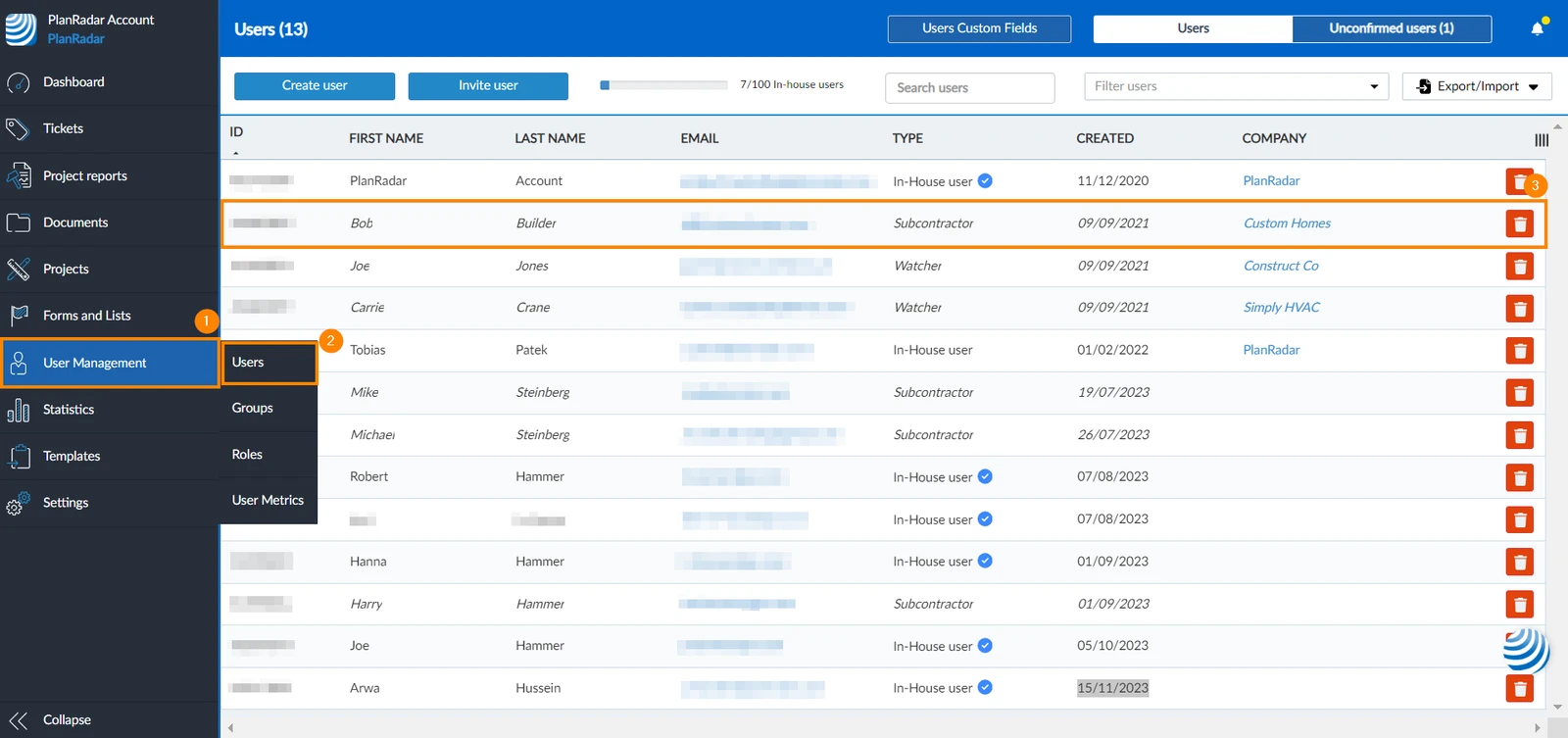
From User Management
- Click User Management
- Click Users
- Click the user you want to activate mobile availability of project for
- Select the Mobile checkbox of the projects you want to make available on mobile
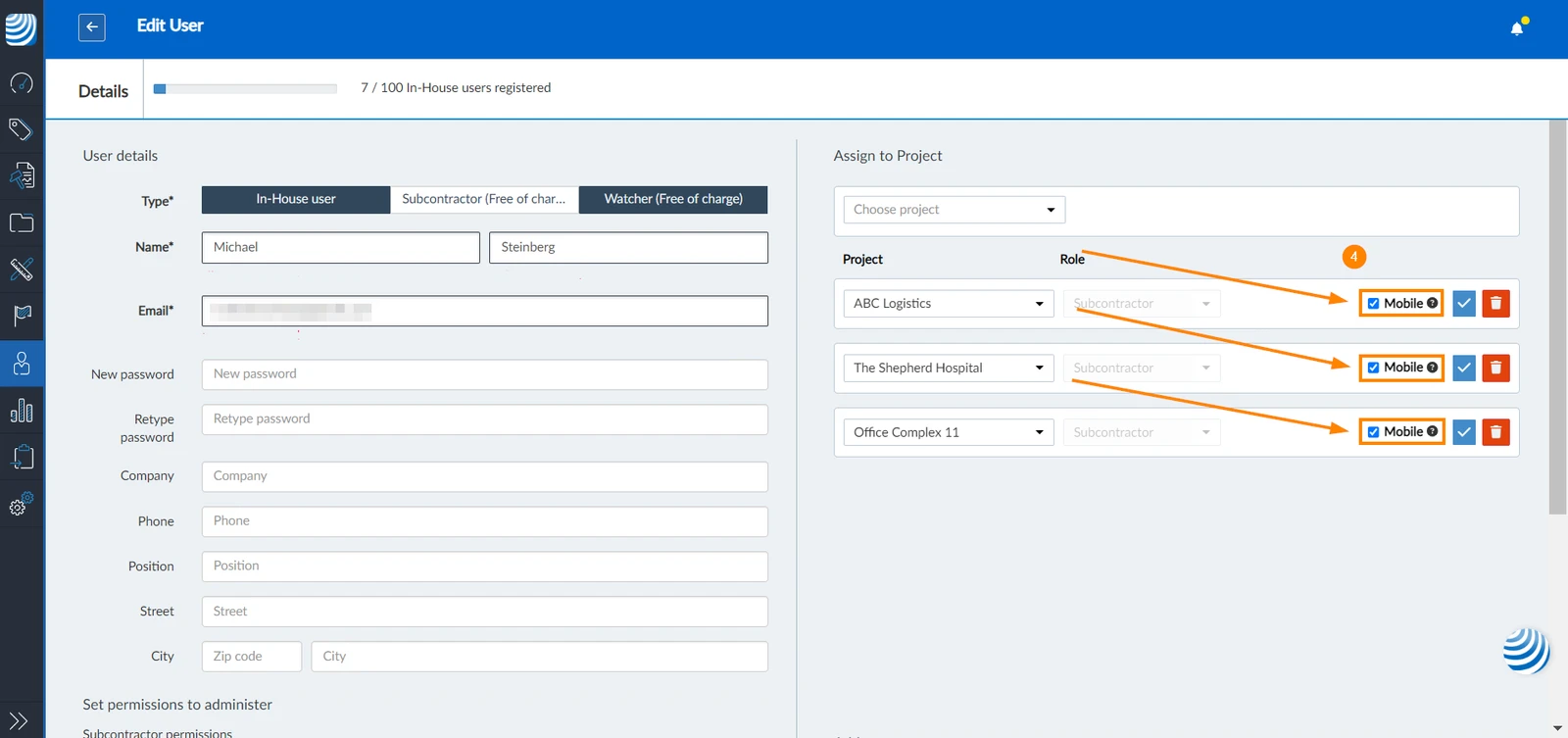
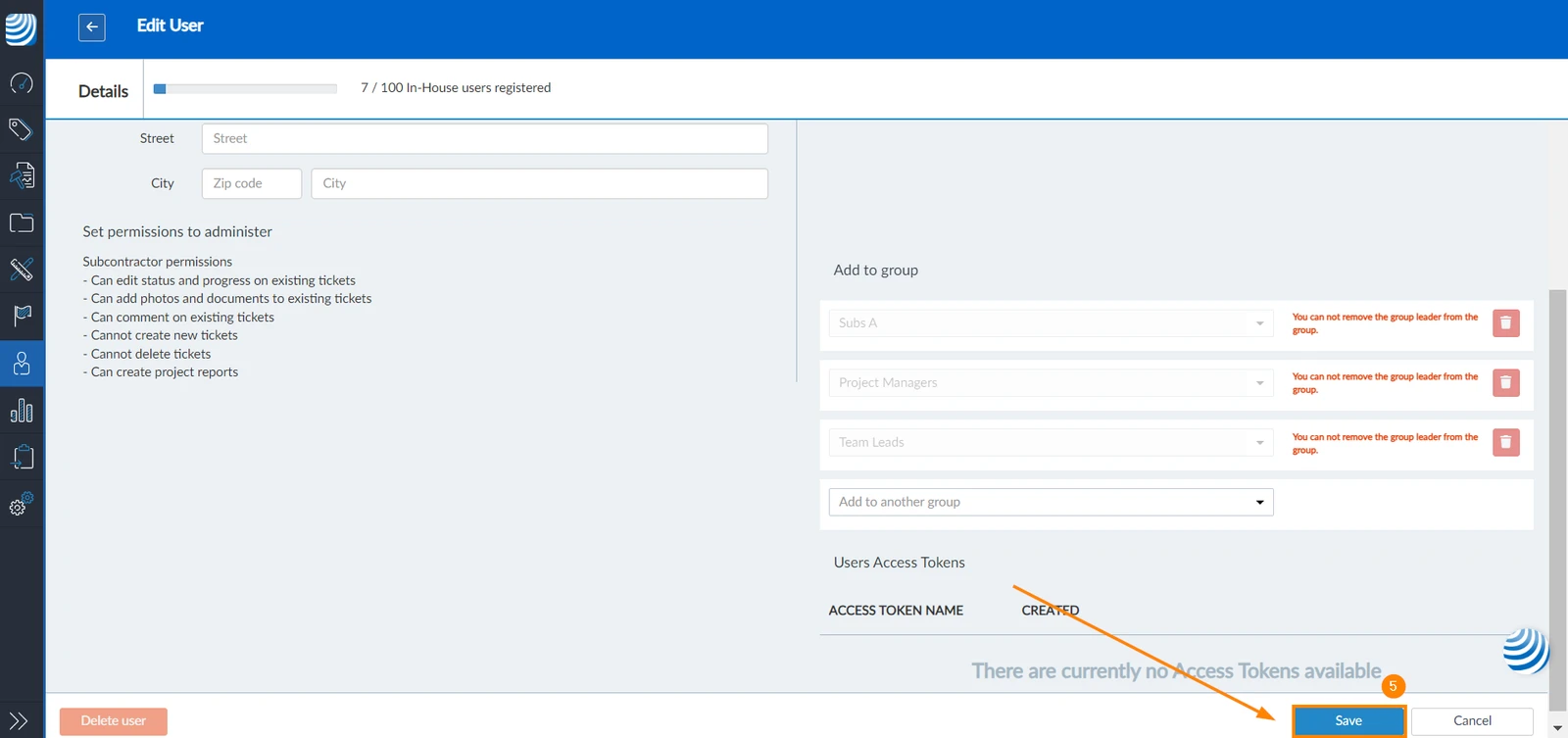
- Click Save
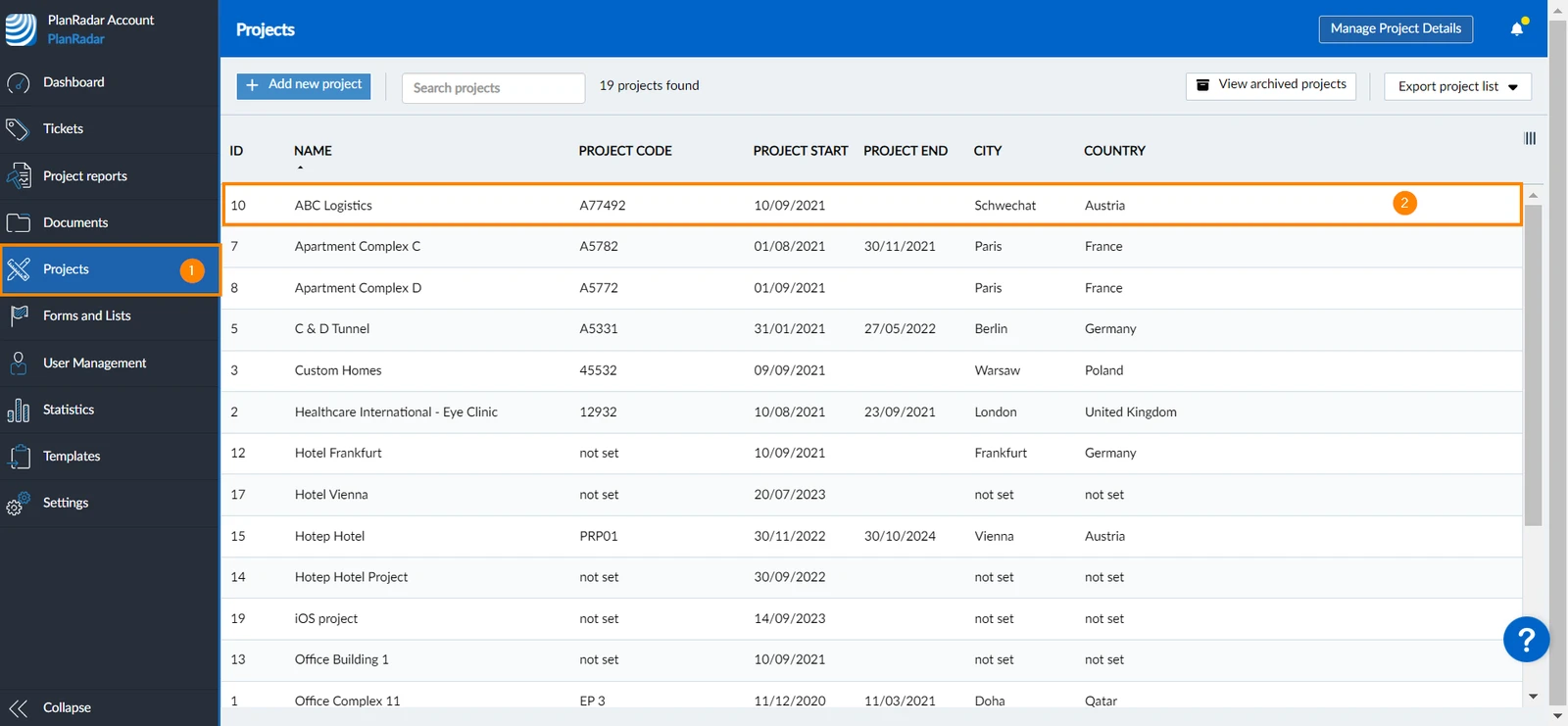
From Projects
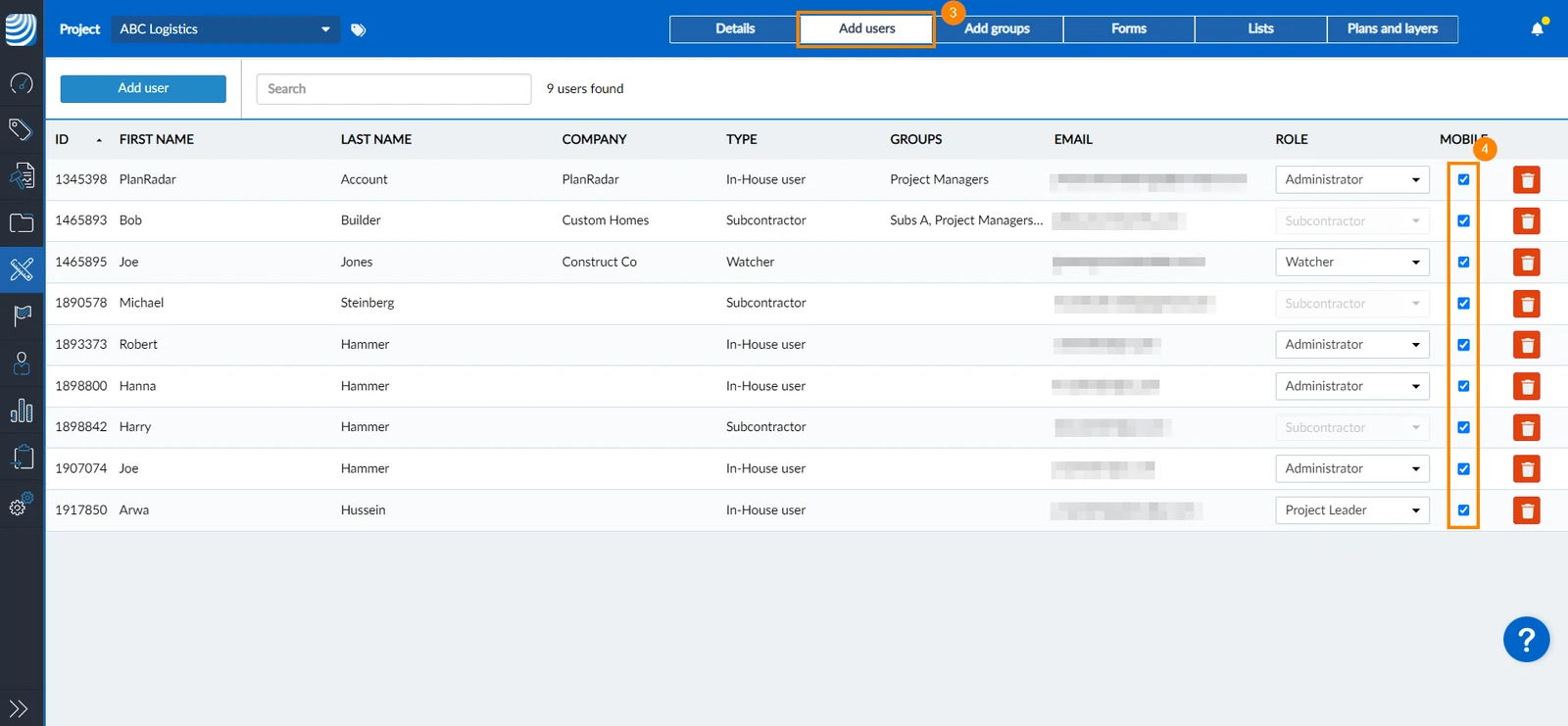
Another way to make projects available on mobile for other users:
- Click Projects
- Select the project
- Click Add users
- Select the mobile checkbox of the user for whom you want to make the project available on mobile
Updated August 26, 2026