

 Deutsch
 Español
 Français
 Hrvatski
 Italiano
 Polski
 Português (BR)
Create & Manage Roles
Overview
Besides user permissions that apply to the whole account, you can define roles with specific permissions to control what users can do in their projects. Roles are applied when adding users or groups to projects. They can have a different role in each project.
Access & Permissions
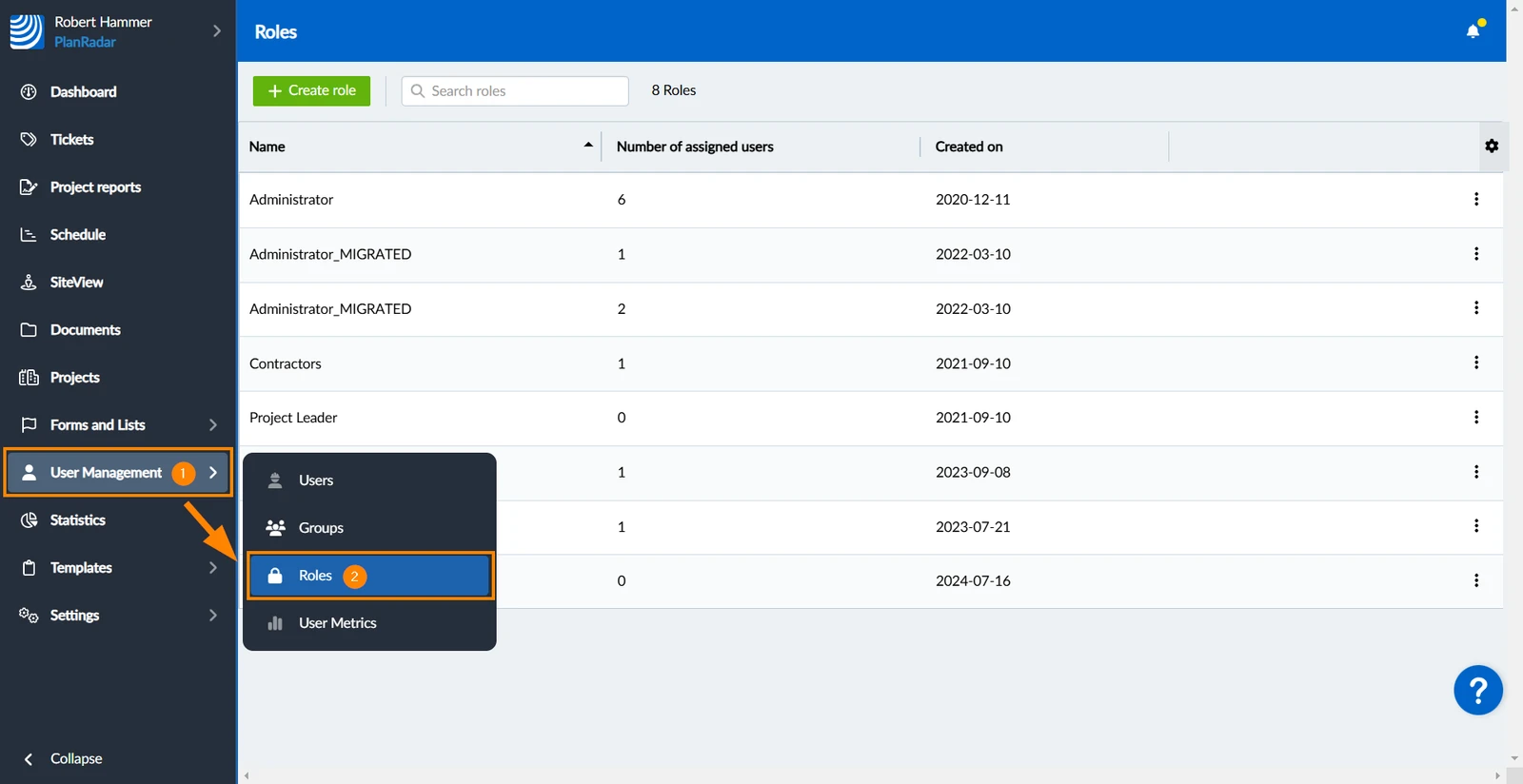
How to access Roles
- Hover over User Management
- Click Roles
Create a New Role
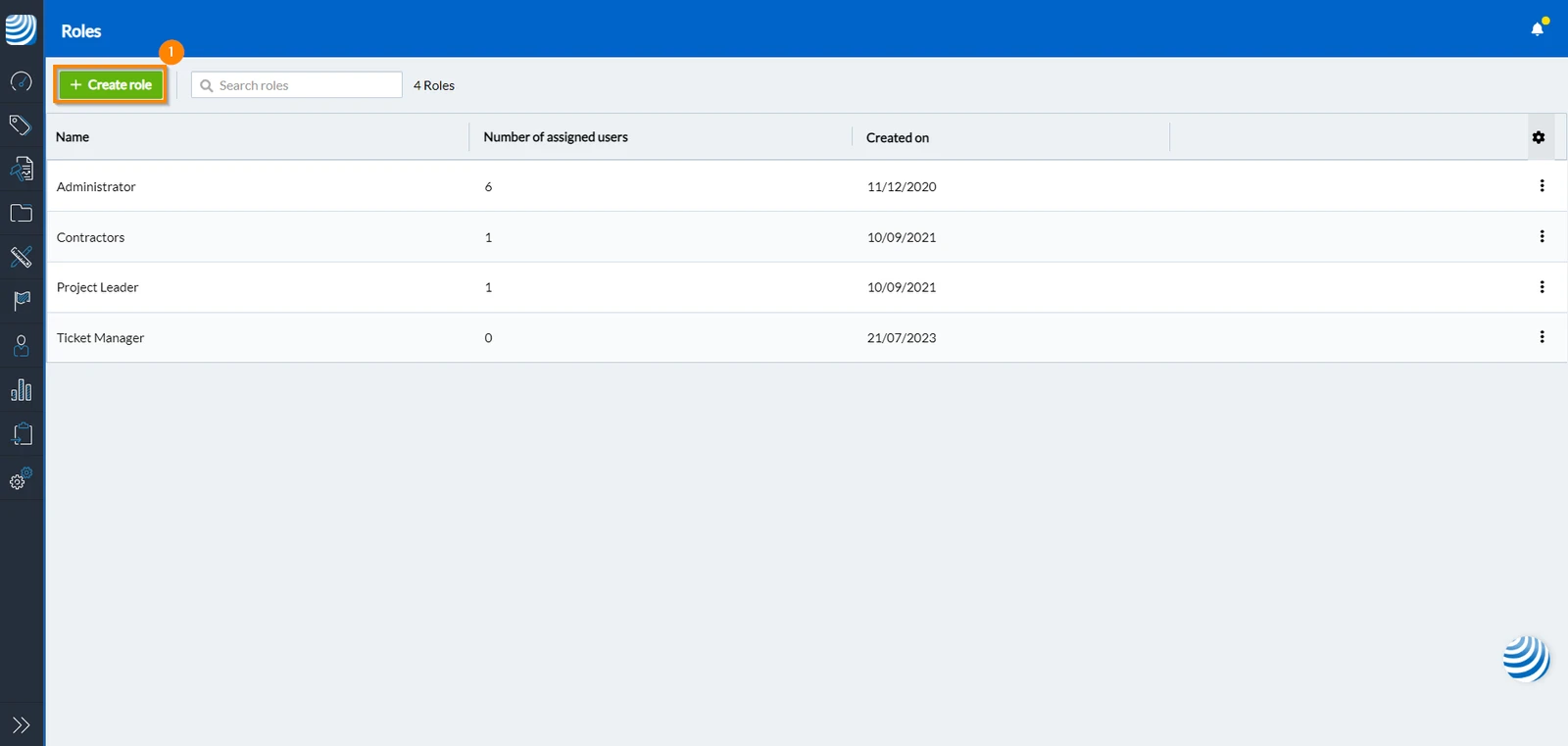
To create a new role:
-
Click Create role
-
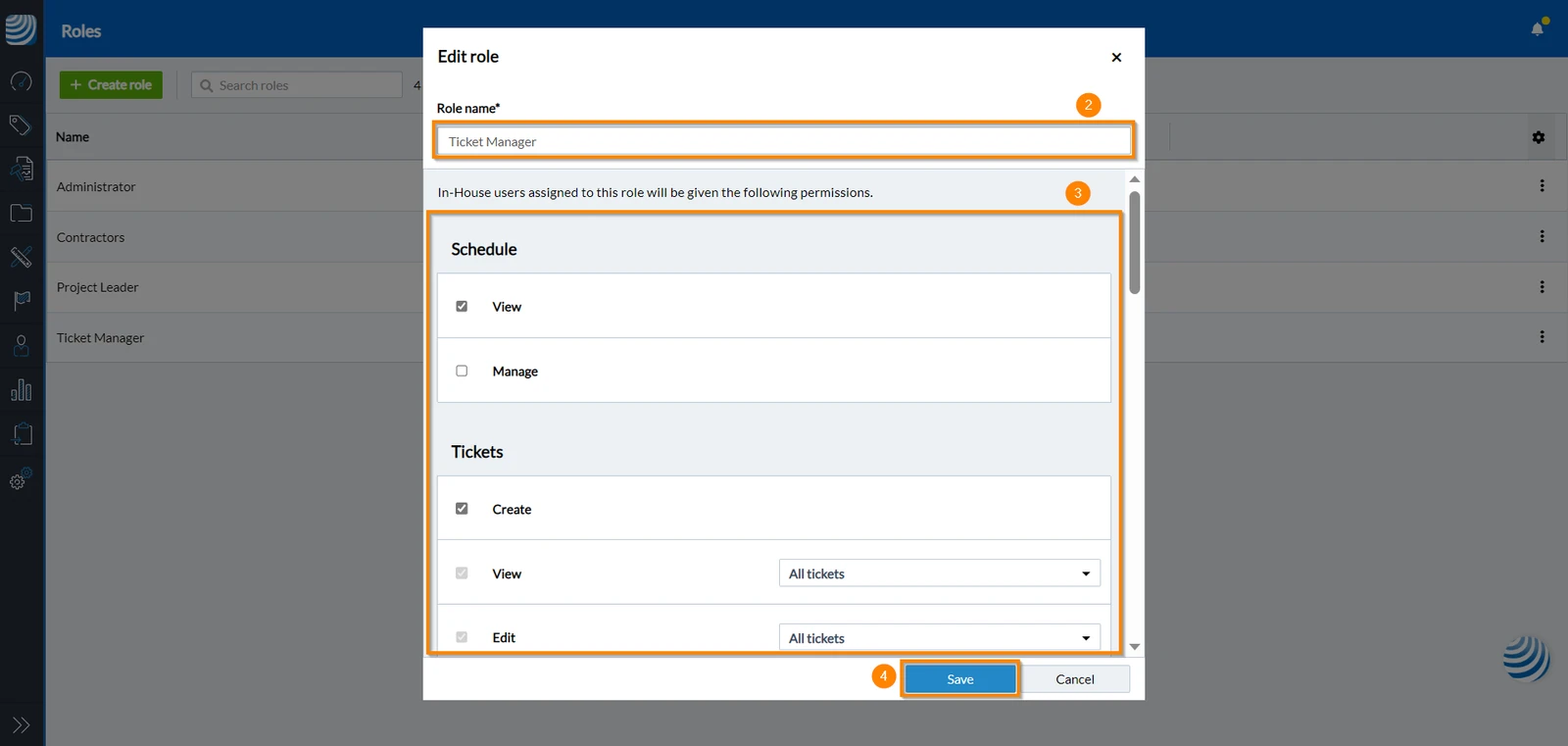
Enter a role name
-
Set permissions
To grant a permission to a role, mark the corresponding checkbox. Conversely, to revoke a permission from a role, clear the checkbox beside it. For all available permissions read more in Permissions > Role Permissions
-
Click Save
-
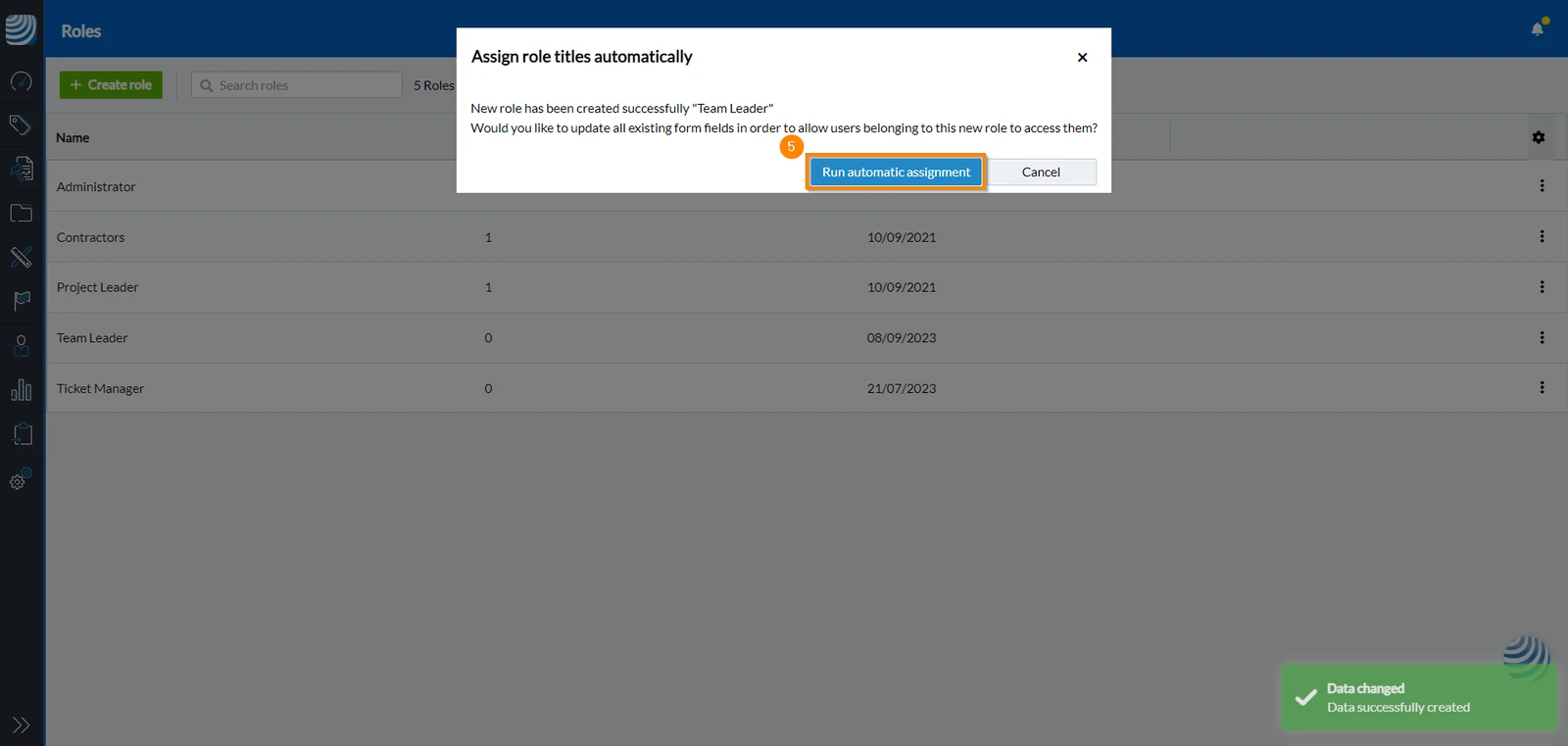
Click Run automatic assignment
Edit Roles
To edit existing roles:
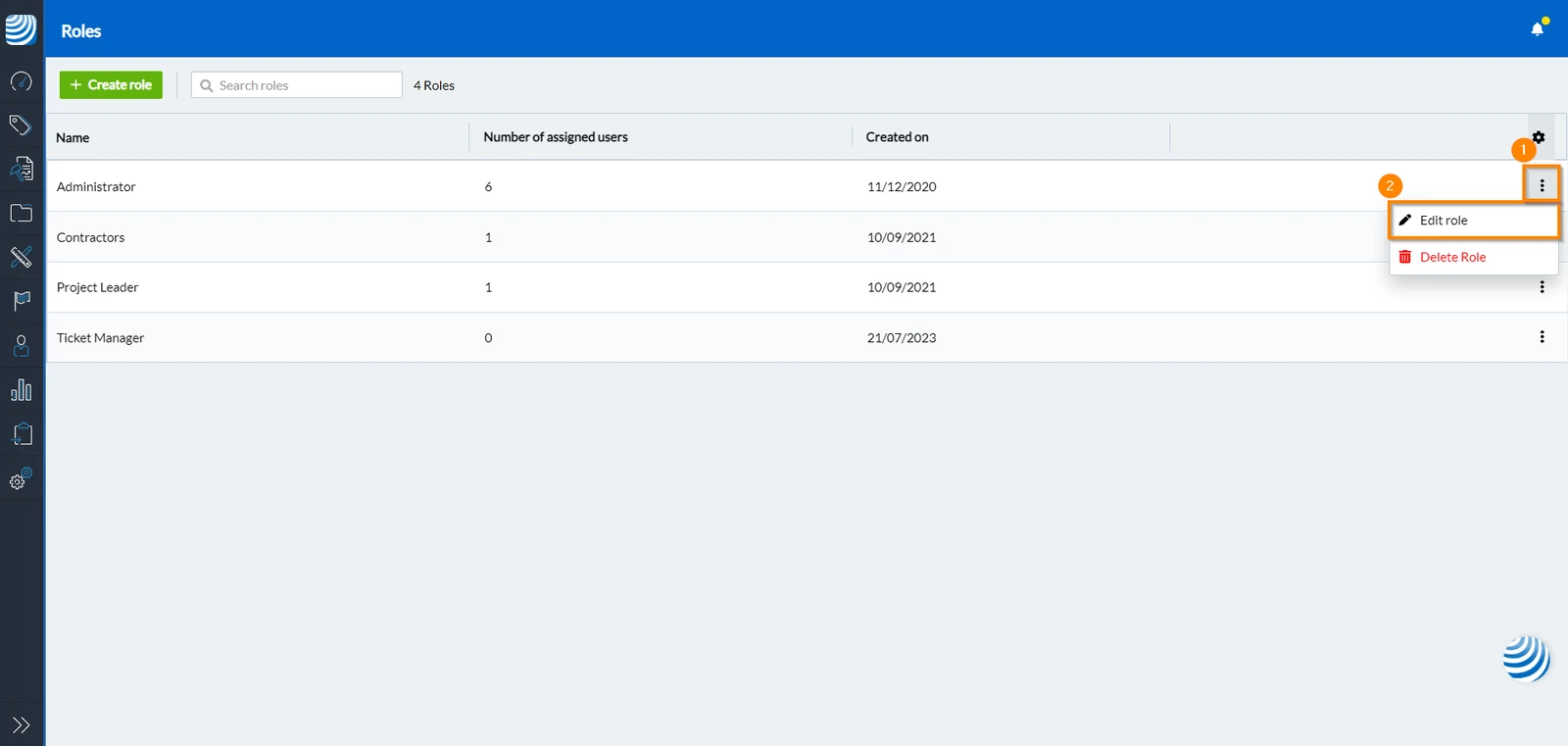
- Click the more menu next to the role you want to edit
- Click Edit role
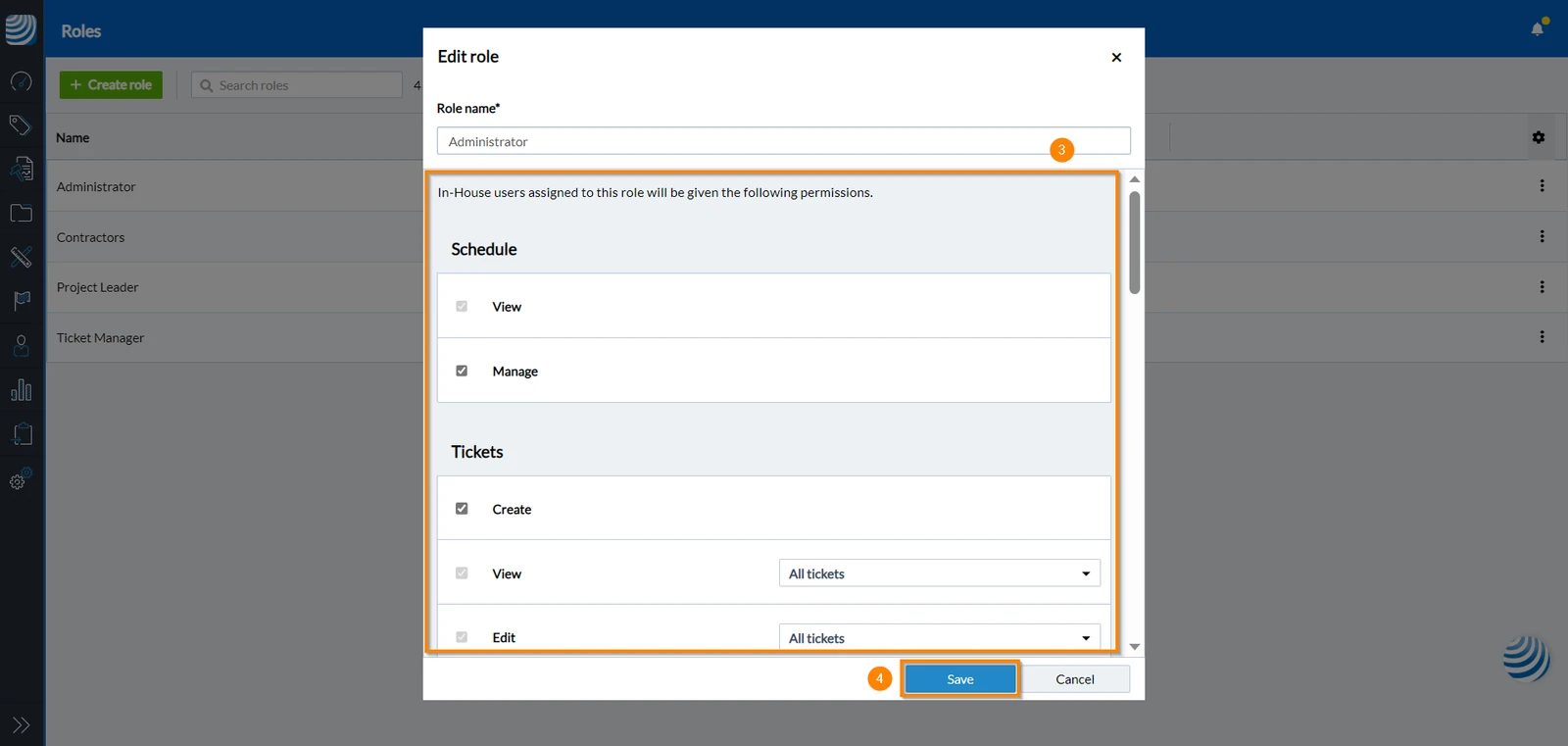
- Change permissions
To grant a permission to a role, mark the corresponding checkbox. Conversely, to revoke a permission from a role, clear the checkbox beside it. For all available permissions read more in Permissions > Role Permissions - Click Save
Updated December 19, 2024