

 Deutsch
 Español
 Français
 Hrvatski
 Italiano
 Polski
 Português (BR)
Create, Add or Remove Tickets from a Schedule
Overview
Tickets of any form can be added to a schedule. Tickets can be scheduled on the timeline like phases with optional start date, end date and duration.
Access & permissions
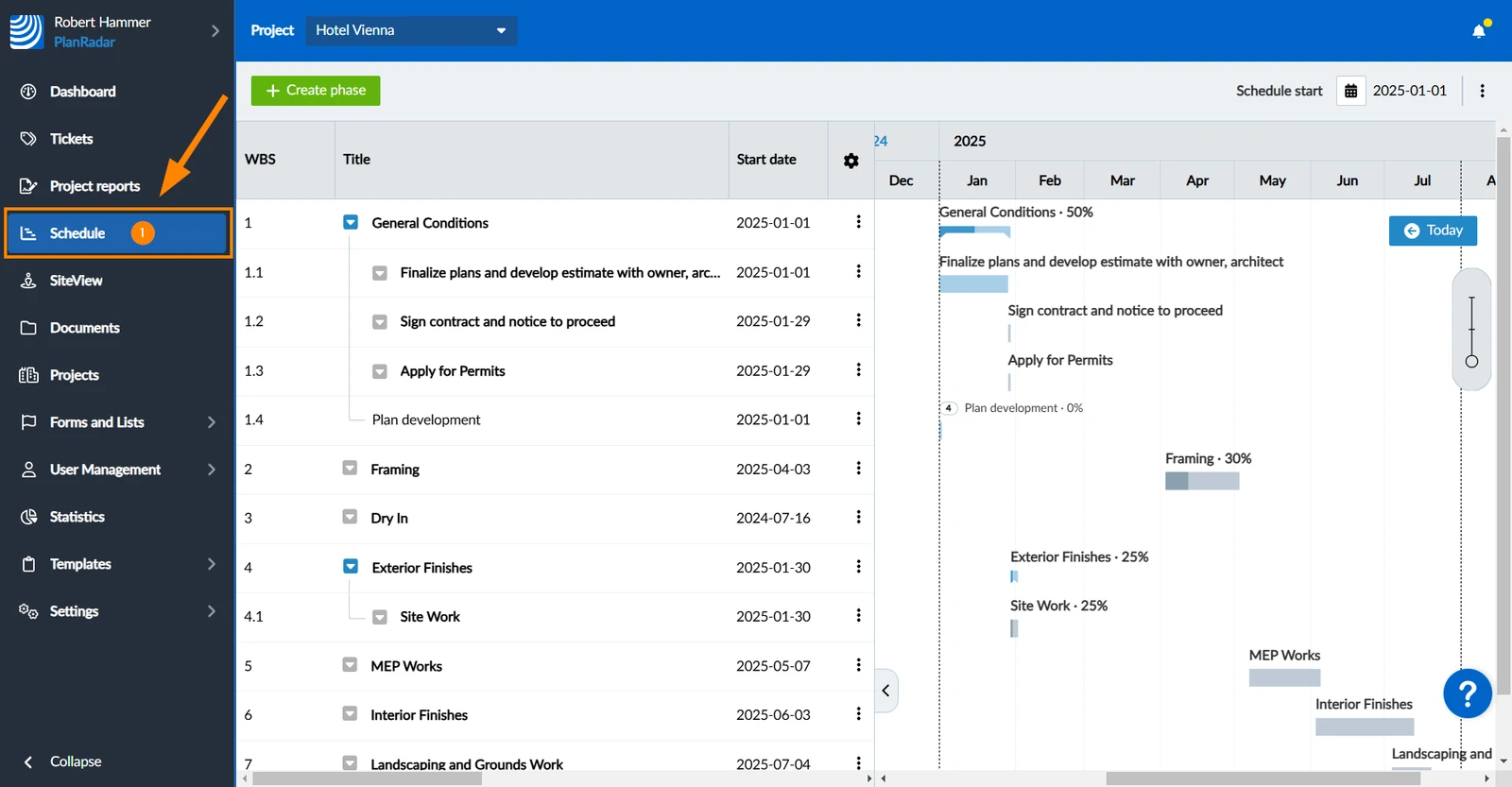
How to access Schedule
- Click Schedule
Create a Ticket
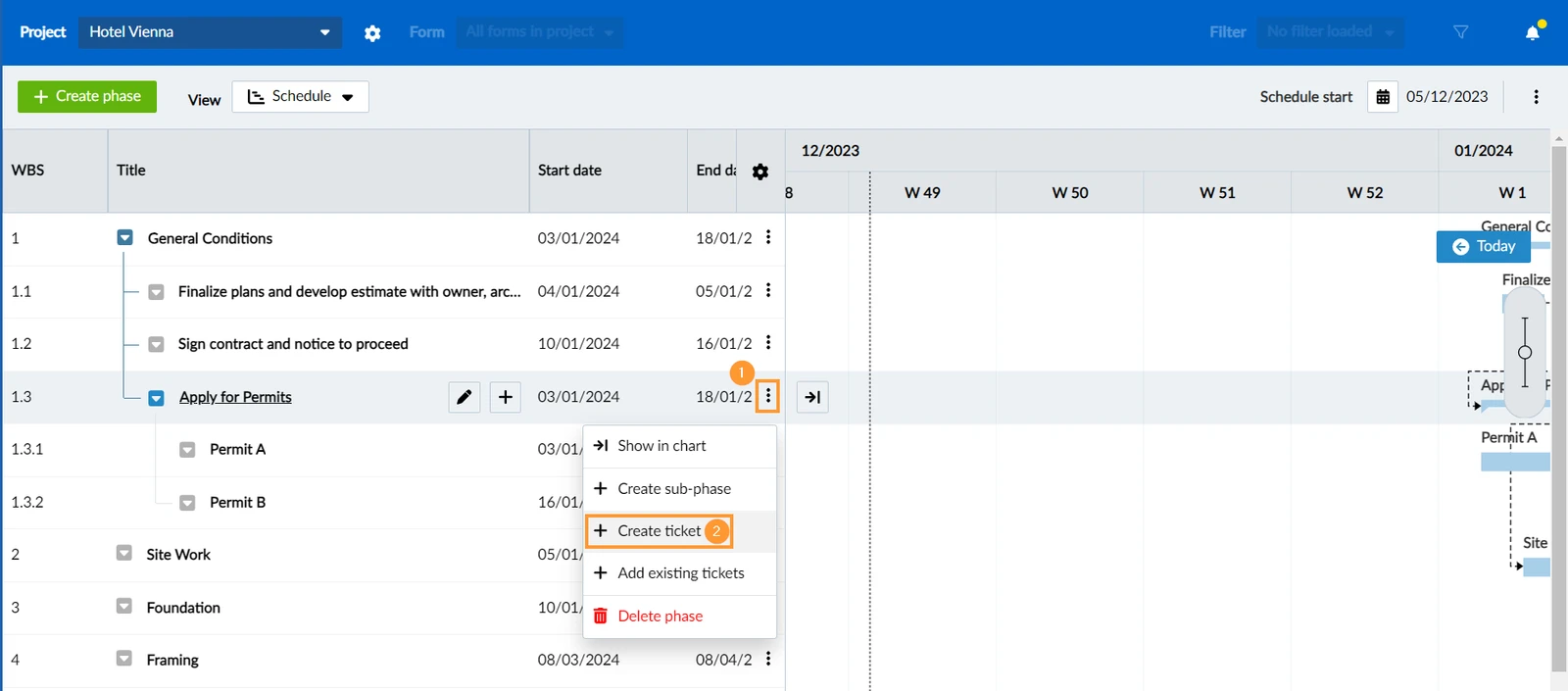
To create a new ticket directly in a schedule:
- Open the more menu next to the parent phase.
- Click + Create ticket
Add Existing Tickets
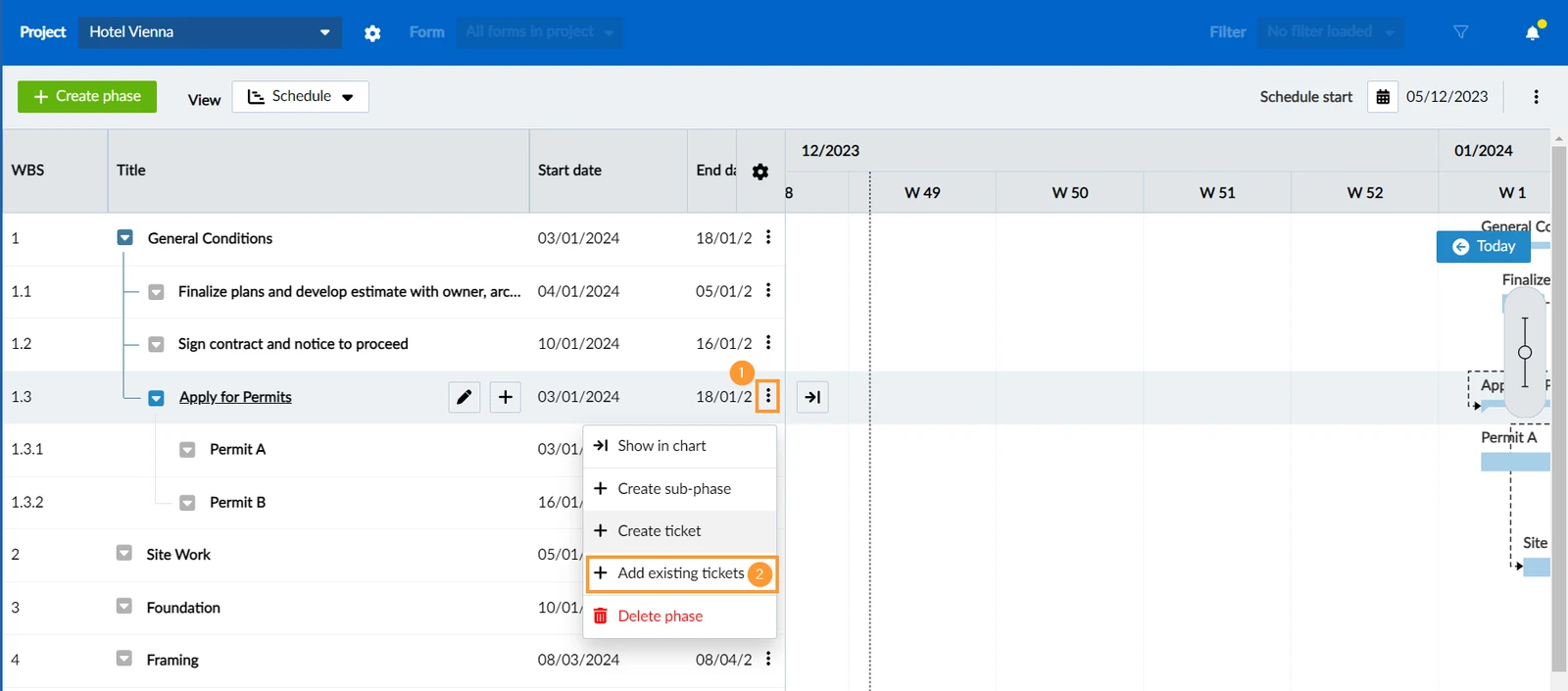
- Open the more menu next to the parent phase.
- Click + Add existing tickets
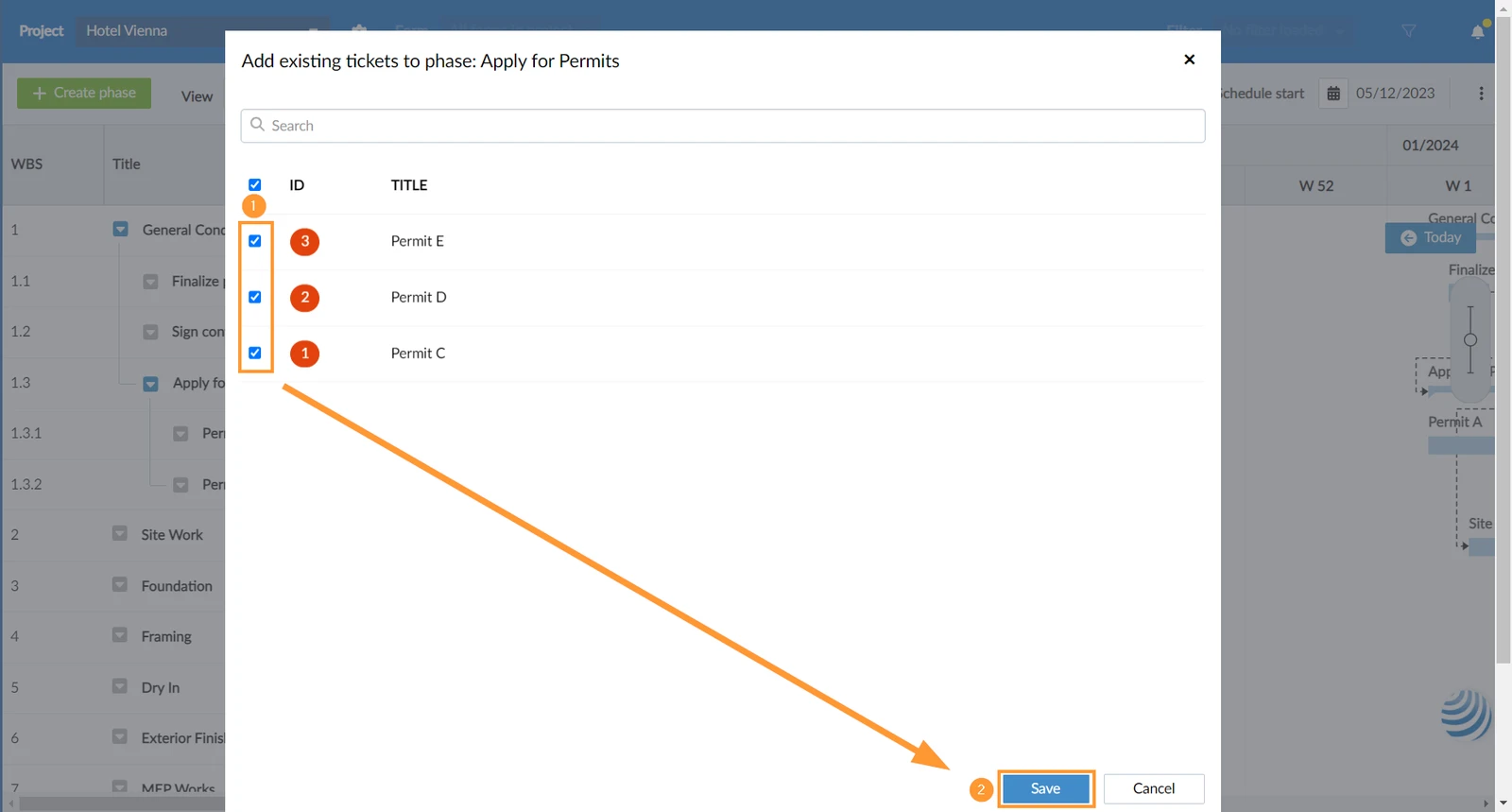
- Search for tickets and select the checkboxes of one or multiple tickets
- Click Save
After adding existing tickets to a schedule no duration is set. If you added the ticket to an automatically scheduled parent phase, it will always inherit a start date.
Edit scheduling details of a Ticket
To edit the parent phase, duration, scheduling mode, or start/end date:
- Click on the ticket in the WBS (or open it from anywhere as described in View & Edit a Ticket)
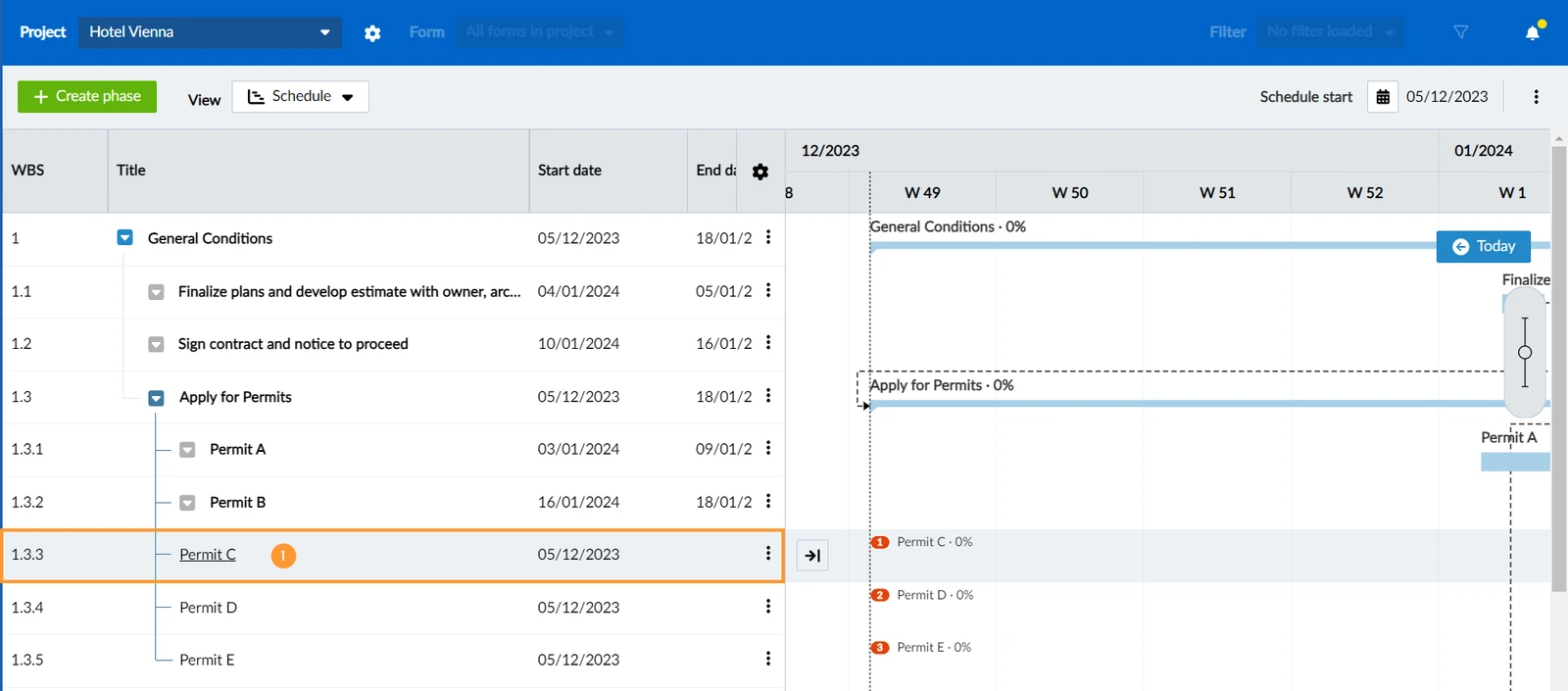
- Click Edit ticket schedule
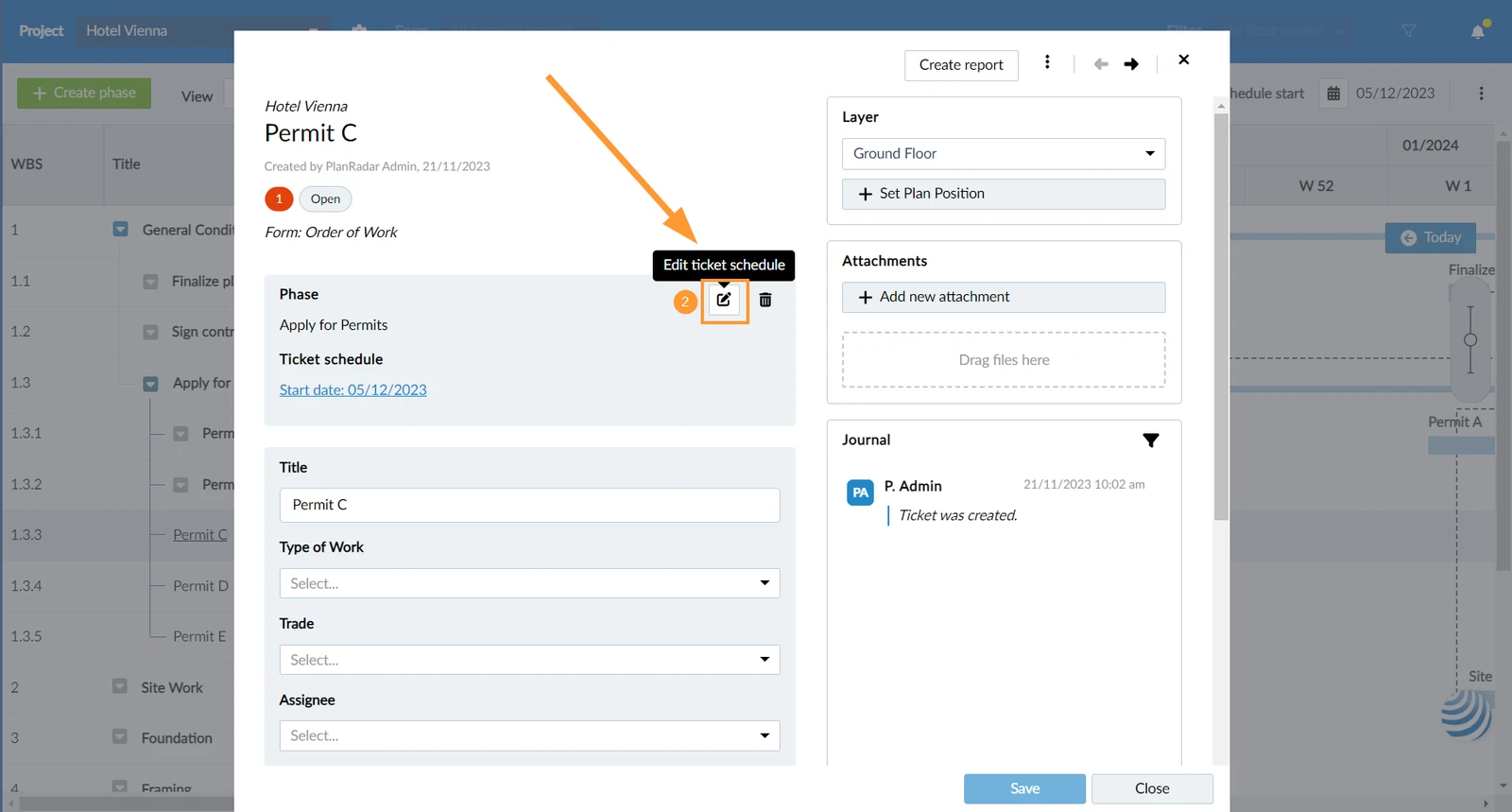
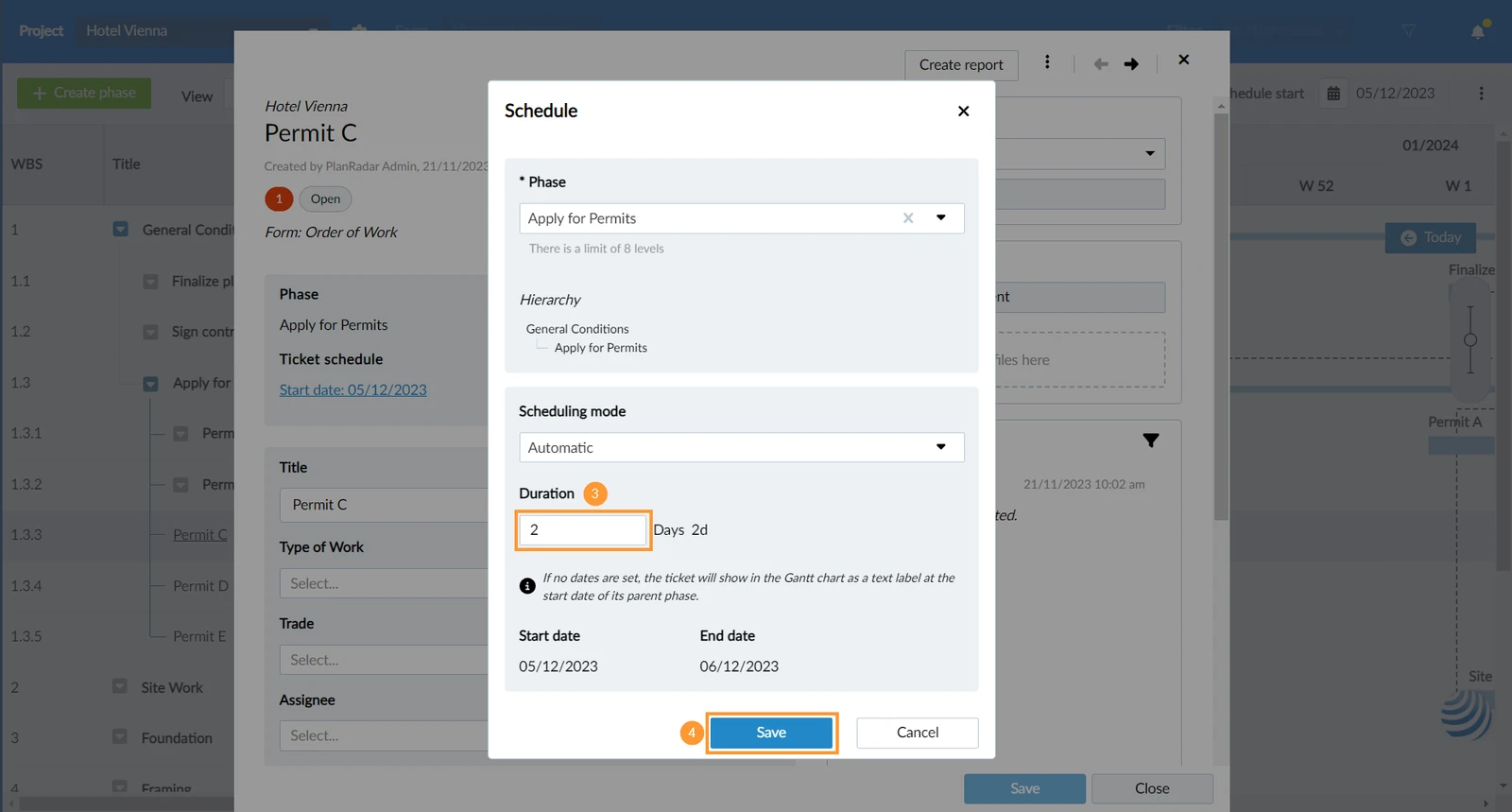
- Make your changes, e.g. enter a Duration
- Click Save
Restructure Tickets in the WBS
Reschedule Tickets in the Gantt Chart
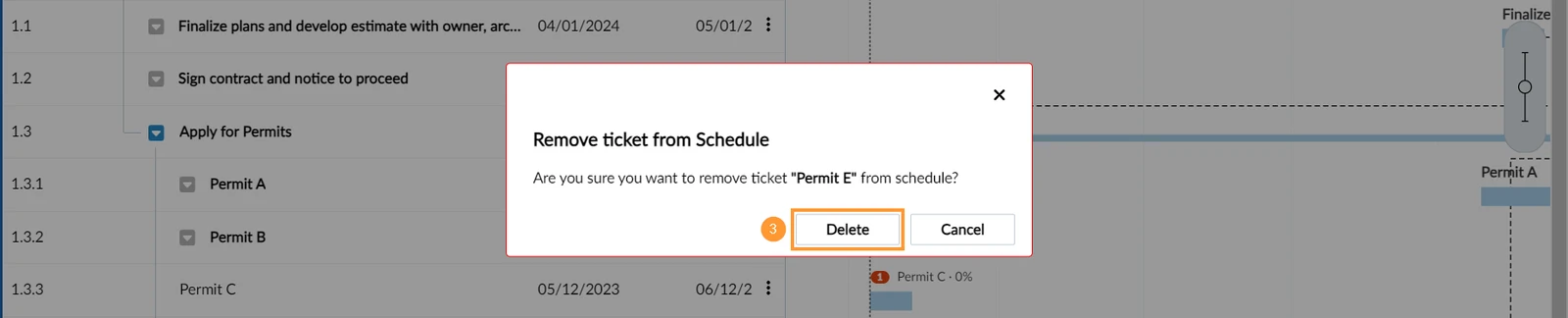
Remove a Ticket from a Schedule
Removing a ticket from a schedule will not delete the ticket:
- Open the more menu next to the ticket in the WBS.
- Click Remove from Schedule
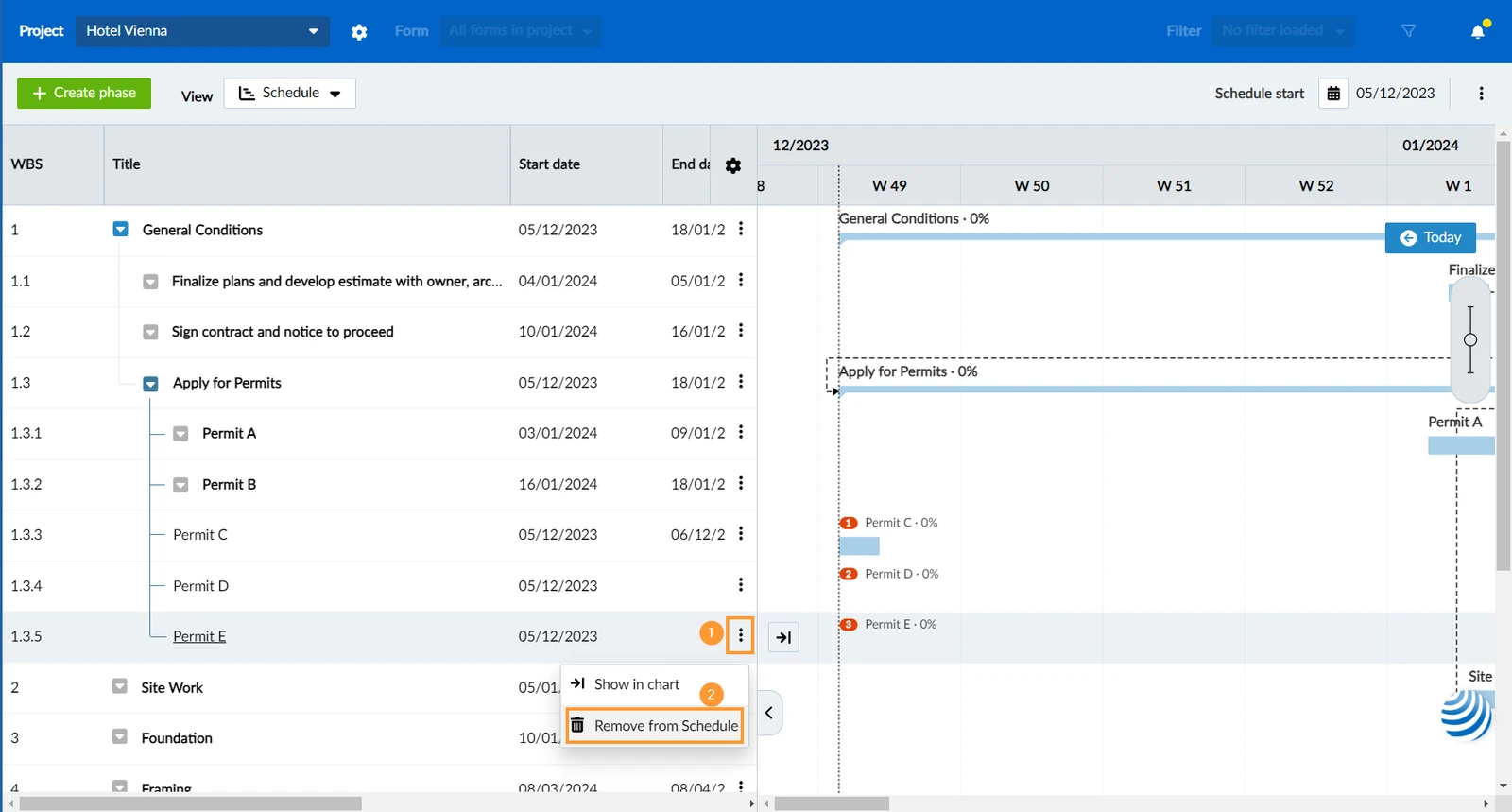
- Click Delete to confirm
Updated October 25, 2024