

 Deutsch
 Español
 Français
 Hrvatski
 Italiano
 Polski
 Português (BR)
View the Activity Log of Plans & Folders in the Webapp
Overview
The activity log shows who did what with your plans and folders, and when — for example who uploaded a new version, renamed a plan, approved it or calibrated its scale.
You can look at the log of a single plan, of a single folder, or of the whole project. Actions in the mobile app are logged as well.
Access & Permissions
View the Activity of a Plan
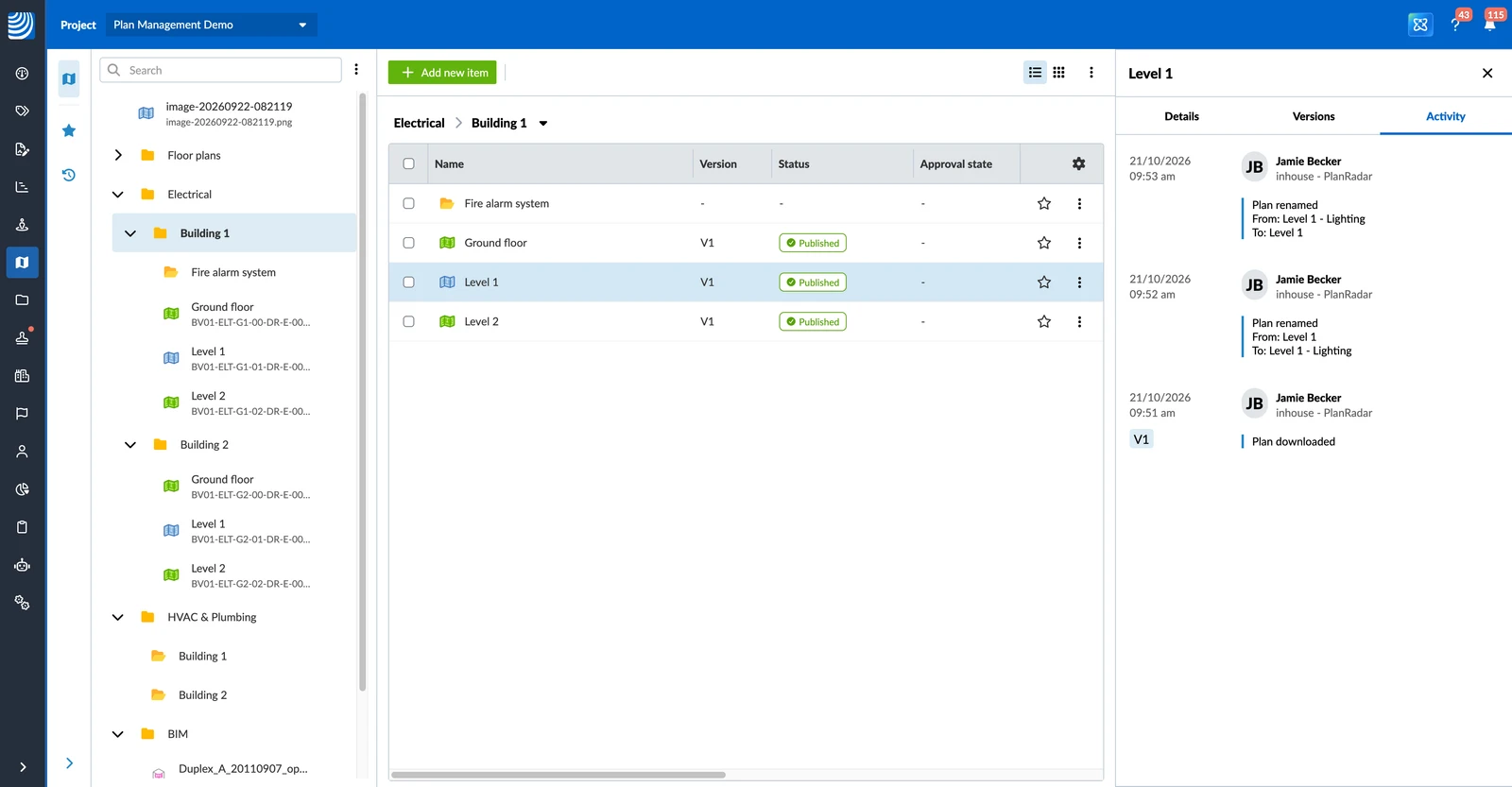
To view the activity log of a plan:
- Open the More menu on the plan.
- Click Details.
- Click the Activity tab.
View the Activity of a Folder
To view the activity log of a folder:
- Open the More menu on the folder.
- Click Activity.
You can also open the folder's Folder details and click the Activity tab.
View the Activity of the Whole Project
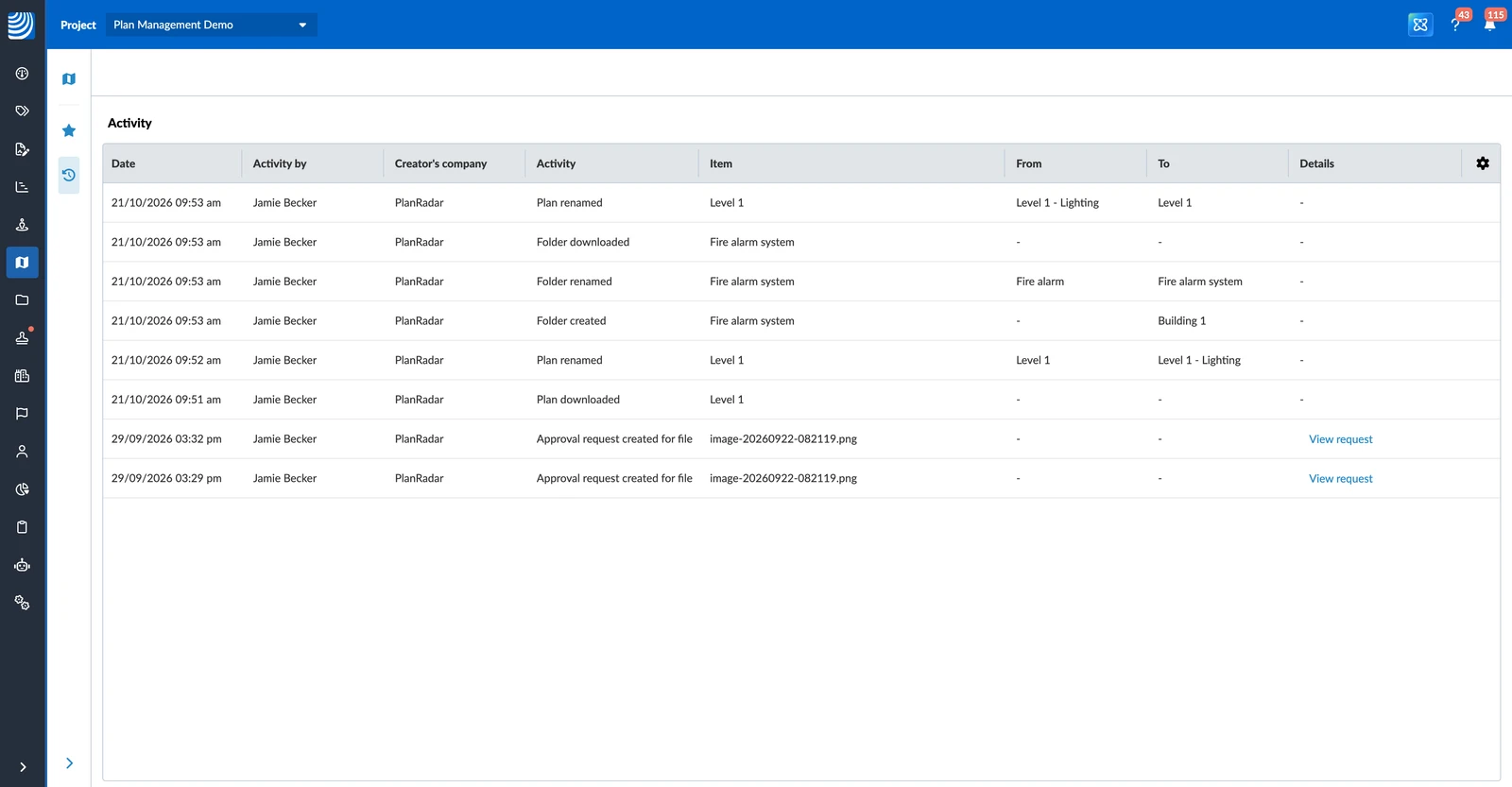
To view all activities on the plans and folders of a project:
- Click Plans in the main menu.
- Select the project in the project drop-down.
- Click the Activity icon in the sidebar.
All activities are listed in a table with the columns Date, Activity by, Creator's company, Activity, Item, From, To and Details. Click Date or Activity by to sort the table. For an approval, click View request to open the approval request.
Tracked Activities
Plan Activities
- Plan uploaded: the plan has been uploaded.
- New version of plan uploaded: a new version of the plan has been uploaded.
- Version of plan deleted: an old version of the plan has been deleted.
- Plan renamed: the plan has been renamed.
- Plan downloaded: the plan has been downloaded.
- Plan moved: the plan has been moved to another folder.
- Plan deleted: the plan has been deleted.
- Approval request created for plan: an approval request has been sent for the plan.
- Plan approved, Plan approved with comments, Plan rejected: a reviewer has decided on the plan. Each reviewer's decision is listed on its own.
- Approval request cancelled: the approval request has been cancelled.
- Markup added, Markup edited, Markup deleted: a markup on the plan has been added, changed or deleted.
- Scale calibrated: the plan's scale has been calibrated.
- North calibrated: the plan's north direction has been calibrated.
- Tickets repositioned: the ticket pins have been reviewed after a new version was uploaded.
Folder Activities
- Folder uploaded: the folder has been uploaded from a computer. Every folder and plan inside it gets its own Folder uploaded or Plan uploaded entry.
- Folder created: the folder has been created.
- Folder downloaded: the folder has been downloaded.
- Folder renamed: the folder has been renamed.
- Folder moved: the folder has been moved to another folder.
- Folder deleted: the folder has been deleted.
Downloading, moving or deleting a folder is only logged for the folder itself, not for the plans inside it.
Updated October 21, 2026